

Your graphics add a nice touch to my presentations and I recently used them for one of my all-hands meetings. Your toolbox adds professionalism to my slides. Instead of using standard clipart.
Claude Jones, Director of Engineer, @Walmartlabs, USA

Your graphics add a nice touch to my presentations and I recently used them for one of my all-hands meetings. Your toolbox adds professionalism to my slides. Instead of using standard clipart.
Claude Jones, Director of Engineer, @Walmartlabs, USA
I needed a fresh look at some of my slides. I've tried to find a way to create a paintbrush effect, to underline, accentuate, add some color and the handwritten markers were just the things. Very easy to use, easy to size, change the color. It was an affordable, perfect solution and I'm happy to recommend it.
Anonymous, US
The crisp, clean look of the graphics, and the fact that it allowed me to easily edit and change the colors to match the template was my main reason for purchasing them.
Brandie Jenkins, E-learning Developer, USA
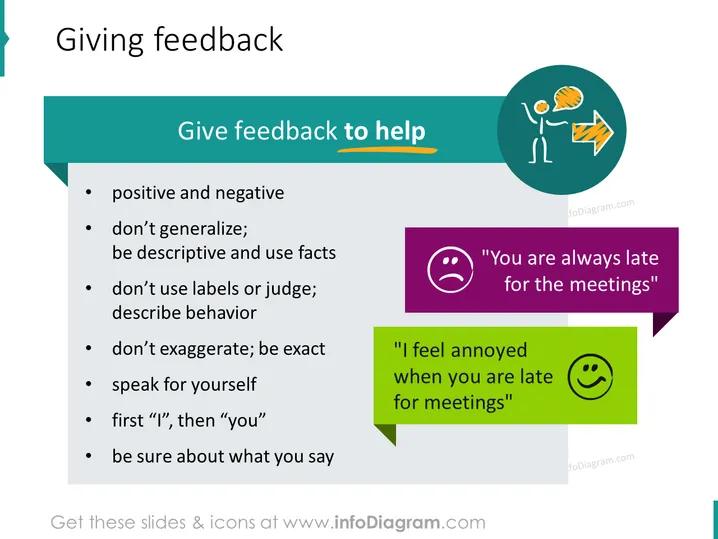
O slide intitulado "Dando Feedback" foca em diretrizes para fornecer feedback construtivo. A lista em tópicos inclui pontos como dar feedback positivo e negativo, evitar generalizações em favor de declarações descritivas e factuais, abster-se de usar rótulos ou ser julgador, ser preciso em vez de exagerar, falar a partir da experiência pessoal em vez de acusar, usar declarações "eu" antes de declarações "você", e ter confiança no feedback fornecido. Cada ponto é uma advertência para comunicar de uma maneira que seja útil e encoraje a melhoria sem causar defensividade.
O slide tem um design limpo e profissional com um layout equilibrado usando cores e ícones para separar e enfatizar visualmente os pontos-chave. O uso de cores contrastantes para as bolhas de fala imediatamente chama a atenção para os exemplos de feedback construtivo versus negativo.



