
Reviews
Ihre Grafiken verleihen meinen Präsentationen eine nette Note, und ich habe sie kürzlich für eines meiner All-Hands-Meetings verwendet. Ihre Toolbox verleiht meinen Folien Professionalität, anstatt Standard-Clipart zu verwenden.
Ich brauchte einen neuen Blick auf einige meiner Folien. Ich habe versucht, einen Weg zu finden, einen Pinselschlag-Effekt zu erzielen, um zu unterstreichen, hervorzuheben, Farbe hinzuzufügen, und die handgeschriebenen Markierungen waren genau das Richtige. Sehr einfach zu bedienen, leicht in der Größe zu ändern, die Farbe zu ändern. Es war eine erschwingliche, perfekte Lösung und ich empfehle sie gerne weiter.
Die klare, saubere Optik der Grafiken und die Tatsache, dass ich die Farben leicht bearbeiten und an die Vorlage anpassen konnte, war mein Hauptgrund für den Kauf.
Description
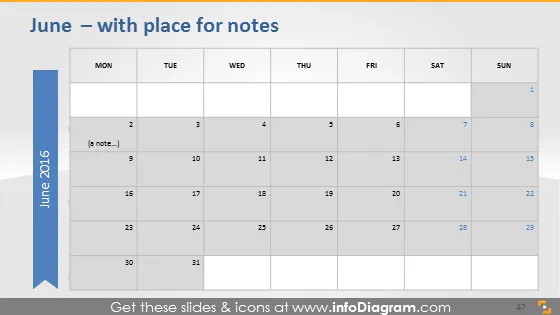
June — with place for notes
Slide Content
The slide appears to be a simple calendar layout for the month of June, highlighting each day in a grid format typical for calendars, with additional space provided for notes. It seems designed for users to input their schedule, deadlines, or events. The "with place for notes" suggests that this calendar slide is interactive, allowing the insertion of text for each day.
Graphical Look
- The slide background is a gradient from dark to light gray.
- A large, blue vertical banner with white text stating "June 2016" anchored on the left side.
- A light gray grid represents the days of the week, with darker gray headers for each day from Monday to Sunday.
- Each cell representing a date is white with a fine gray border, and the numbers are in a dark gray color.
- On the second day, there is a placeholder text that states "(a note…)" in italics and light gray.
- In the bottom right, there is a dark gray rectangle with a white number "47" inside it.
The slide has a clean, professional design with a clear distinction between the days. The use of different shades of gray and the blue vertical banner gives a modern, sleek look that is easy on the eyes.
Use Cases
- Planning and organizing company meetings or events for the month.
- Tracking project deadlines or milestones in a clear, visual format.
- Sharing a monthly schedule with team members to coordinate activities.
- Using as a template for monthly reporting to highlight key dates or achievements.
How to Edit
How to edit text & colors

How to expand / shorten diagram

How to Replace Icons in infoDiagram PPT


