
Reviews
Sus gráficos añaden un toque agradable a mis presentaciones y recientemente los usé para una de mis reuniones generales. Su conjunto de herramientas añade profesionalismo a mis diapositivas. En lugar de usar imágenes prediseñadas estándar.
Necesitaba un aspecto fresco para algunas de mis diapositivas. Había intentado encontrar una forma de crear un efecto de pincel, de subrayar, acentuar, añadir algo de color y los marcadores escritos a mano fueron justo lo que necesitaba. Muy fácil de usar, fácil de ajustar el tamaño, cambiar el color. Fue una solución asequible y perfecta, y estoy feliz de recomendarla.
El aspecto nítido y limpio de los gráficos, y el hecho de que me permitiera editar y cambiar fácilmente los colores para que coincidieran con la plantilla fue mi principal razón para comprarlos.
Description
World Map
Slide Content
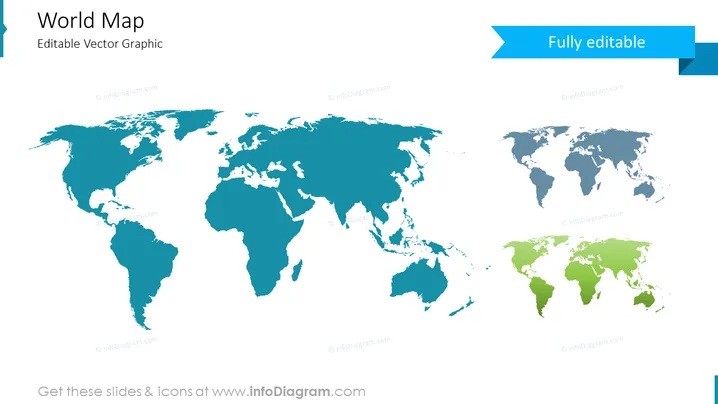
This slide features a world map described as an 'Editable Vector Graphic'. The content suggests that each component of the map can be individually manipulated, allowing for customization such as highlighting specific areas, depicting different data, or altering color schemes. Such a feature provides a highly flexible tool for presenters needing to tailor map visuals to their specific presentation context.
Graphical Look
- A large, predominantly blue world map centered on the slide, stretching from edge to edge
- The depiction of the continents is stylized, with simplified shapes and no internal borders or countries demarcated
- Above the map on the right side, there is a contrasting banner that reads "Fully editable" in white text with a blue background
- The banner's style is modern and flat, with a folded effect on the right side to add dimensionality
- The color palette is minimal, using different shades of blue which likely indicate the editable nature of the graphic elements
- There's a clear and spacious layout, with no additional graphical elements cluttering the design
The overall look of the slide is clean and modern, with a professional appearance. The minimalist color scheme and clear presentation of the world map convey an impression of customization and utility.
Use Cases
- To showcase global market presence or international branches of a corporation
- For illustrating data in a geographical context, such as sales figures, population density, or resource distribution
- In educational settings to teach geography, global events, or to visualize travel routes and expeditions
- As a template for custom maps in reports, presentations, or information brochures, highlighting specific countries or regions related to the topic discussed
How to Edit
How to edit text & colors

How to expand / shorten diagram

How to Replace Icons in infoDiagram PPT


