
Reviews
Your graphics add a nice touch to my presentations and I recently used them for one of my all-hands meetings. Your toolbox adds professionalism to my slides. Instead of using standard clipart.
I needed a fresh look at some of my slides. I've tried to find a way to create a paintbrush effect, to underline, accentuate, add some color and the handwritten markers were just the things. Very easy to use, easy to size, change the color. It was an affordable, perfect solution and I'm happy to recommend it.
The crisp, clean look of the graphics, and the fact that it allowed me to easily edit and change the colors to match the template was my main reason for purchasing them.
Description
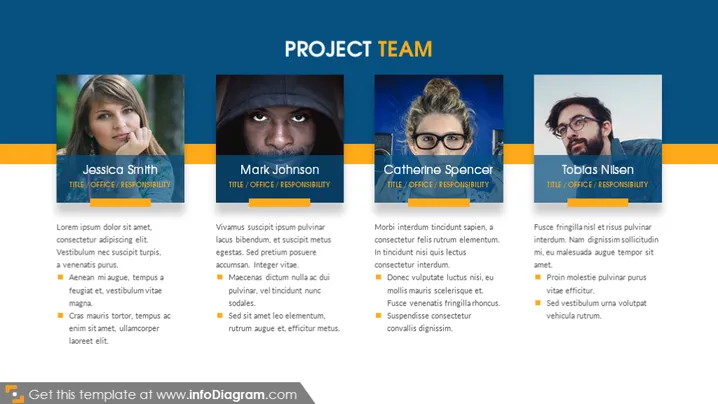
PROJECT TEAM
Slide Content
The slide titled "PROJECT TEAM" introduces four team members: Jessica Smith, Mark Johnson, Catherine Spencer, and Tobias Nilsen. Each member is presented with a photograph, a name label, their title/office/responsibility, and a brief descriptive text with bullet points. The descriptions contain placeholder text, suggesting the ability to customize with real information. The bullet points detail aspects of each individual's role, characteristics, or contributions to the team, also filled with placeholder text.
Graphical Look
- Four rectangular frames, each containing an individual's photograph, name, and a text area for descriptions.
- Each frame has a distinct color theme: green, blue, orange, and teal, possibly to differentiate the members or their roles.
- The photographs are positioned on the left side of each frame, with circular masks applied.
- The name and title/office/responsibility are highlighted in a darker shade rectangle, directly below each photo.
- The descriptive text and bullet points are arranged to the right of the photo within each frame.
- The slide's background is a neutral, dark gray gradient, providing a subtle contrast to the colorful content frames.
- The overall slide design is clean, with a balance of images, colors, and text for an engaging presentation.
The slide has a modern corporate aesthetic with a clear structure that facilitates easy absorption of information about each team member.
Use Cases
- Introducing key members of a project team during a business presentation or kickoff meeting.
- Showcasing the leadership team to potential clients or investors, emphasizing their roles and responsibilities.
- Humanizing the team during internal company presentations, giving faces to names and summarizing individual expertise.
- Updating stakeholders on team composition changes, such as during organizational restructuring or onboarding sessions.
How to Edit
How to edit text & colors

How to expand / shorten diagram

How to Replace Icons in infoDiagram PPT


