
Reviews
Your graphics add a nice touch to my presentations and I recently used them for one of my all-hands meetings. Your toolbox adds professionalism to my slides. Instead of using standard clipart.
I needed a fresh look at some of my slides. I've tried to find a way to create a paintbrush effect, to underline, accentuate, add some color and the handwritten markers were just the things. Very easy to use, easy to size, change the color. It was an affordable, perfect solution and I'm happy to recommend it.
The crisp, clean look of the graphics, and the fact that it allowed me to easily edit and change the colors to match the template was my main reason for purchasing them.
Description
Winner Podium Stairs with Cup – Light Outline Graphics
Slide Content
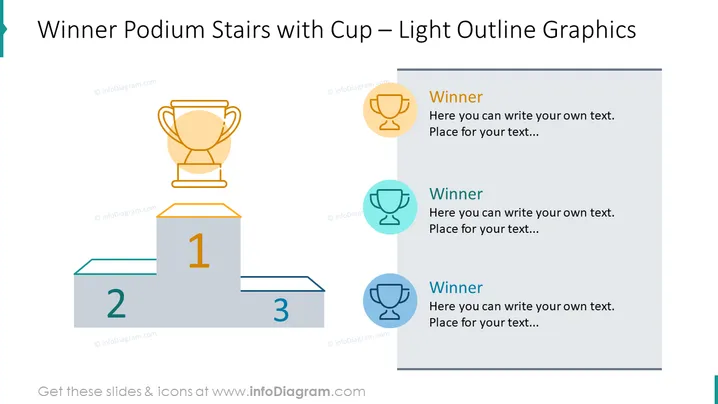
The PowerPoint slide titled "Winner Podium Stairs with Cup – Light Outline Graphics" is evidently designed to showcase rankings or success levels. There is a three-tier podium that represents first, second, and third places. A large golden trophy cup is depicted on the winner's position, emphasizing the triumph associated with the highest step. Adjacent to the podium, there are three icons, each paired with text boxes likely intended for further explanation about the winners or winning criteria at each level.
Graphical Look
- The slide features a three-tiered podium in the center with the numbers 1, 2, and 3 on the respective levels in a bold, sans-serif typeface.
- A large, two-tone trophy cup icon is placed above the first-place tier of the podium.
- To the right of the podium, there are three circular icons lined vertically, each with a trophy symbol inside, colored differently and decreasing in size from top to bottom.
- Next to each circular icon is a text placeholder with the word "Winner" in a bold font, followed by additional placeholder text for customization.
- There is a thin line bordering the top section of the slide, providing a sense of separation from the slide title.
- The primary colors of the graphical elements are shades of blue and gold, with a simplicity in design for clarity and focus on content.
The slide has a clean and modern appearance, utilizing light outline graphics and a minimal color palette to clearly represent hierarchy and success. The visual elements are well-balanced and leave ample space for customized text.
Use Cases
- Presenting awards, recognition, or rankings within a corporate setting.
- Visualizing competition results such as sales targets or performance metrics.
- Demonstrating product or service tiers in offerings to clients or stakeholders.
- Using in educational presentations to illustrate different levels of achievement or grading.
How to Edit
How to edit text & colors

How to expand / shorten diagram

How to Replace Icons in infoDiagram PPT


