
Reviews
Your graphics add a nice touch to my presentations and I recently used them for one of my all-hands meetings. Your toolbox adds professionalism to my slides. Instead of using standard clipart.
I needed a fresh look at some of my slides. I've tried to find a way to create a paintbrush effect, to underline, accentuate, add some color and the handwritten markers were just the things. Very easy to use, easy to size, change the color. It was an affordable, perfect solution and I'm happy to recommend it.
The crisp, clean look of the graphics, and the fact that it allowed me to easily edit and change the colors to match the template was my main reason for purchasing them.
Description
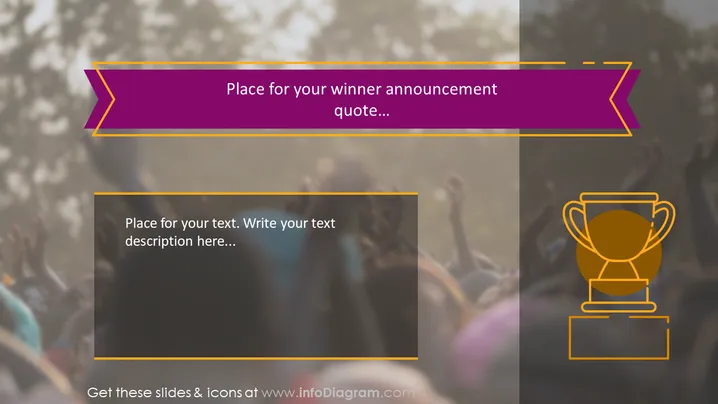
Place for your winner announcement quote...
Slide Content
The PowerPoint slide appears to be designed for announcing a winner or celebrating an achievement. The upper part of the slide contains a placeholder text for a winner announcement, implying it’s for a special quote or statement. Below that, there's another text box inviting the insertion of additional descriptive text or commentary related to the winner or the context of the achievement.
Graphical Look
- The slide background features a blurred image of a cheering crowd, evoking a sense of celebration or victory.
- At the top, there is a bold, ribbon-like header with a cut-out arrow shape on each side, filled with a vibrant purple color and outlined in yellow.
- Within the header, contrasting white text suggests a placeholder for inserting a winning announcement or a congratulatory message.
- A smaller text box at the lower section of the slide, framed by thin yellow lines, offers space for supplementary text or a description.
- To the right, there is a stylized icon of a trophy with two handles, set against a semi-transparent square backdrop, symbolizing victory or an award.
- The trophy icon is gold-colored with a hint of gradient, giving it a three-dimensional effect, and outlined in white to make it stand out against the background.
The slide has a motivational and triumphant visual theme, with bold colors and celebratory imagery. The combination of the celebration crowd and trophy icon clearly conveys a message of victory or recognition.
Use Cases
- To announce winners or top performers in a corporate awards ceremony or sales team competition.
- As a closing slide in a business presentation to celebrate the achievement of a goal or milestone.
- In an educational setting, to declare the winner of a contest or to acknowledge outstanding student accomplishments.
- During an annual general meeting or conference to recognize an individual's or team's exceptional contribution to the organization.
How to Edit
How to edit text & colors

How to expand / shorten diagram

How to Replace Icons in infoDiagram PPT


