
Reviews
Ihre Grafiken verleihen meinen Präsentationen eine nette Note, und ich habe sie kürzlich für eines meiner All-Hands-Meetings verwendet. Ihre Toolbox verleiht meinen Folien Professionalität, anstatt Standard-Clipart zu verwenden.
Ich brauchte einen neuen Blick auf einige meiner Folien. Ich habe versucht, einen Weg zu finden, einen Pinselschlag-Effekt zu erzielen, um zu unterstreichen, hervorzuheben, Farbe hinzuzufügen, und die handgeschriebenen Markierungen waren genau das Richtige. Sehr einfach zu bedienen, leicht in der Größe zu ändern, die Farbe zu ändern. Es war eine erschwingliche, perfekte Lösung und ich empfehle sie gerne weiter.
Die klare, saubere Optik der Grafiken und die Tatsache, dass ich die Farben leicht bearbeiten und an die Vorlage anpassen konnte, war mein Hauptgrund für den Kauf.
Description
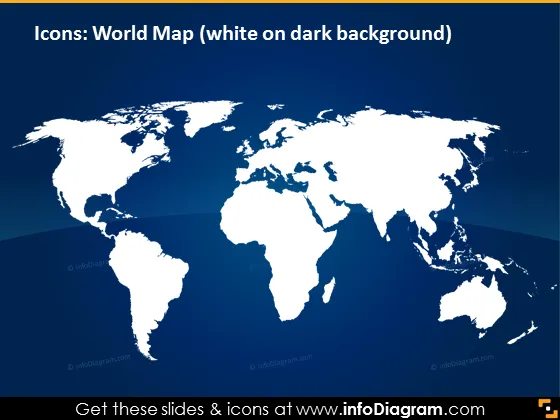
Icons: World Map (white on dark background)
Slide Content
The PowerPoint slide showcases a global perspective by featuring a world map. The use of white color for the outlines of the continents against a dark background emphasizes the map's visibility and offers a clear contrast. Such design is often used to represent worldwide operations, international reach, or global statistics in a visually engaging and straightforward manner.
Graphical Look
- A dark blue background encompassing the whole slide.
- A white silhouette world map centered in the middle of the slide, displaying all continents.
- The map uses a Mercator projection, commonly utilized for navigational maps.
The slide has a clean and professional appearance with a strong contrast between the map and the background, enhancing readability and focus on the graphical representation of the world.
Use Cases
- To illustrate a company's international presence or global customer base.
- When discussing global trends or international markets in a business environment.
- For educational purposes, when teaching about geography or international affairs.
- While presenting demographic data or global statistics in a visually appealing manner.
How to Edit
How to edit text & colors

How to expand / shorten diagram

How to Replace Icons in infoDiagram PPT


