
Reviews
Your graphics add a nice touch to my presentations and I recently used them for one of my all-hands meetings. Your toolbox adds professionalism to my slides. Instead of using standard clipart.
I needed a fresh look at some of my slides. I've tried to find a way to create a paintbrush effect, to underline, accentuate, add some color and the handwritten markers were just the things. Very easy to use, easy to size, change the color. It was an affordable, perfect solution and I'm happy to recommend it.
The crisp, clean look of the graphics, and the fact that it allowed me to easily edit and change the colors to match the template was my main reason for purchasing them.
Description
Contact me
Slide Content
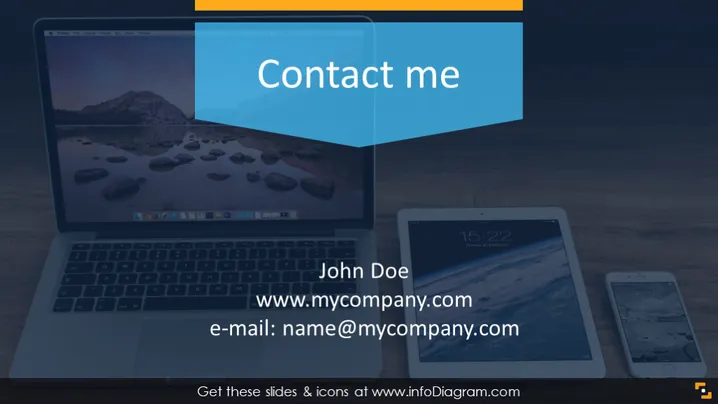
This PowerPoint slide is intended for sharing contact information. It consists of the name "John Doe," a placeholder for a website URL "www.mycompany.com," and an email address "name@mycompany.com." These elements serve to provide an audience with direct contact details, making it straightforward to reach out to the presenter or the represented individual or company for further communication or information.
Graphical Look
- Background features an image of a desk with a laptop, tablet, and smartphone.
- Title "Contact me" is displayed in a large white font on a blue background, which is partially overlapped by an orange tab.
- The name "John Doe" is positioned below the title in a large, bold font.
- Below the name, a URL "www.mycompany.com" is listed in a smaller font.
- An email address "name@mycompany.com" follows, using the same font as the URL.
- The laptop, tablet, and smartphone screens on the desk display serene landscape images.
- All text is cleanly laid out with good readability against the background image.
The slide has a modern and professional look with a cohesive color scheme that uses blue, white, and orange to highlight important elements. The technology-themed background image suggests connectivity and modern communication channels.
Use Cases
- Closing slide in a business presentation to provide attendees with contact information for follow-up discussions.
- Networking events where participants can take a snapshot of the slide to easily remember contact details.
- Webinars where the presenter wants to offer an easy way for the audience to reach out post-event.
- Sales pitches to leave potential clients with a direct line of communication to the sales representative or support team.
How to Edit
How to edit text & colors

How to expand / shorten diagram

How to Replace Icons in infoDiagram PPT


