
Reviews
Ihre Grafiken verleihen meinen Präsentationen eine nette Note, und ich habe sie kürzlich für eines meiner All-Hands-Meetings verwendet. Ihre Toolbox verleiht meinen Folien Professionalität, anstatt Standard-Clipart zu verwenden.
Ich brauchte einen neuen Blick auf einige meiner Folien. Ich habe versucht, einen Weg zu finden, einen Pinselschlag-Effekt zu erzielen, um zu unterstreichen, hervorzuheben, Farbe hinzuzufügen, und die handgeschriebenen Markierungen waren genau das Richtige. Sehr einfach zu bedienen, leicht in der Größe zu ändern, die Farbe zu ändern. Es war eine erschwingliche, perfekte Lösung und ich empfehle sie gerne weiter.
Die klare, saubere Optik der Grafiken und die Tatsache, dass ich die Farben leicht bearbeiten und an die Vorlage anpassen konnte, war mein Hauptgrund für den Kauf.
Description
Contact me
Slide Content
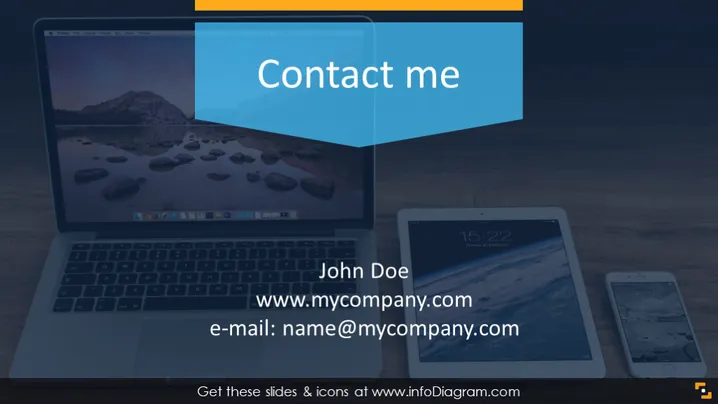
This PowerPoint slide is intended for sharing contact information. It consists of the name "John Doe," a placeholder for a website URL "www.mycompany.com," and an email address "name@mycompany.com." These elements serve to provide an audience with direct contact details, making it straightforward to reach out to the presenter or the represented individual or company for further communication or information.
Graphical Look
- Background features an image of a desk with a laptop, tablet, and smartphone.
- Title "Contact me" is displayed in a large white font on a blue background, which is partially overlapped by an orange tab.
- The name "John Doe" is positioned below the title in a large, bold font.
- Below the name, a URL "www.mycompany.com" is listed in a smaller font.
- An email address "name@mycompany.com" follows, using the same font as the URL.
- The laptop, tablet, and smartphone screens on the desk display serene landscape images.
- All text is cleanly laid out with good readability against the background image.
The slide has a modern and professional look with a cohesive color scheme that uses blue, white, and orange to highlight important elements. The technology-themed background image suggests connectivity and modern communication channels.
Use Cases
- Closing slide in a business presentation to provide attendees with contact information for follow-up discussions.
- Networking events where participants can take a snapshot of the slide to easily remember contact details.
- Webinars where the presenter wants to offer an easy way for the audience to reach out post-event.
- Sales pitches to leave potential clients with a direct line of communication to the sales representative or support team.
How to Edit
How to edit text & colors

How to expand / shorten diagram

How to Replace Icons in infoDiagram PPT


