
Reviews
Ihre Grafiken verleihen meinen Präsentationen eine nette Note, und ich habe sie kürzlich für eines meiner All-Hands-Meetings verwendet. Ihre Toolbox verleiht meinen Folien Professionalität, anstatt Standard-Clipart zu verwenden.
Ich brauchte einen neuen Blick auf einige meiner Folien. Ich habe versucht, einen Weg zu finden, einen Pinselschlag-Effekt zu erzielen, um zu unterstreichen, hervorzuheben, Farbe hinzuzufügen, und die handgeschriebenen Markierungen waren genau das Richtige. Sehr einfach zu bedienen, leicht in der Größe zu ändern, die Farbe zu ändern. Es war eine erschwingliche, perfekte Lösung und ich empfehle sie gerne weiter.
Die klare, saubere Optik der Grafiken und die Tatsache, dass ich die Farben leicht bearbeiten und an die Vorlage anpassen konnte, war mein Hauptgrund für den Kauf.
Description
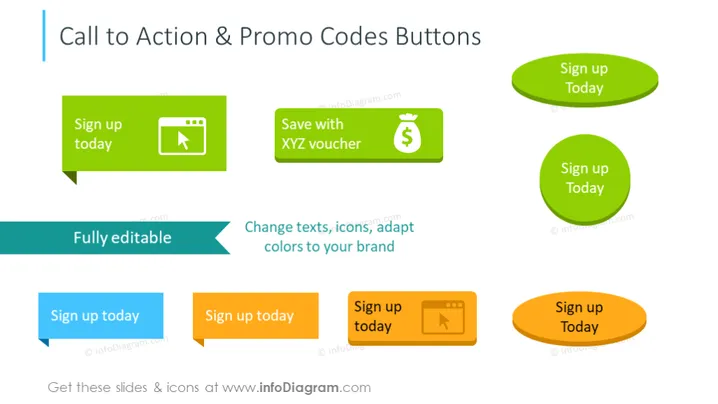
Call to Action & Promo Codes Buttons
Slide Content
The slide focuses on various designs of "Call to Action" and "Promo Codes" buttons, meant to encourage user engagement. Each button is paired with a unique icon and color, illustrating different styles and purposes. The first button suggests registration with the text "Sign up today" beside a play icon, hinting at a video or media-related action. A "Save with XYZ voucher" button pairs financial savings with a dollar icon. These customizable buttons can be adapted to fit specific branding needs, as indicated by the descriptive text "Fully editable – Change texts, icons, adapt colors to your brand".
Graphical Look
- The slide's background is white, offering a clean and neutral canvas for the content.
- The title is alight in color and placed at the top in a large font size.
- Six buttons in total, each with rounded corners and distinctive colors (green, dark green, blue, and orange).
- Two speech-bubble-styled green buttons, one with a play icon, the other with a dollar sign icon.
- Two pill-shaped buttons in bright green and dark green hues with white text.
- Two rectangular buttons, one blue with an arrow icon, the other orange with a play icon, all suggesting interactivity.
- Arrows pointing at one of the buttons, highlighting its editability.
- Descriptive texts on the left and right suggesting the adaptability of the buttons to various brands, represented in two shades of blue and green.
The overall look of the slide is vibrant and dynamic, with colorful buttons that capture attention. The icons are simple and universally recognizable, relating to common actions found in web design and marketing.
Use Cases
- Promoting online services or products during a marketing presentation.
- Demonstrating website interface design options in a web development meeting.
- Highlighting special offers or discounts in a sales pitch to potential clients.
- Encouraging actions such as signing up or saving money, during user experience and conversion optimization discussions.
How to Edit
How to edit text & colors

How to expand / shorten diagram

How to Replace Icons in infoDiagram PPT


