
Reviews
Ihre Grafiken verleihen meinen Präsentationen eine nette Note, und ich habe sie kürzlich für eines meiner All-Hands-Meetings verwendet. Ihre Toolbox verleiht meinen Folien Professionalität, anstatt Standard-Clipart zu verwenden.
Ich brauchte einen neuen Blick auf einige meiner Folien. Ich habe versucht, einen Weg zu finden, einen Pinselschlag-Effekt zu erzielen, um zu unterstreichen, hervorzuheben, Farbe hinzuzufügen, und die handgeschriebenen Markierungen waren genau das Richtige. Sehr einfach zu bedienen, leicht in der Größe zu ändern, die Farbe zu ändern. Es war eine erschwingliche, perfekte Lösung und ich empfehle sie gerne weiter.
Die klare, saubere Optik der Grafiken und die Tatsache, dass ich die Farben leicht bearbeiten und an die Vorlage anpassen konnte, war mein Hauptgrund für den Kauf.
Description
Web Services & App Connectivity illustration template
Slide Content
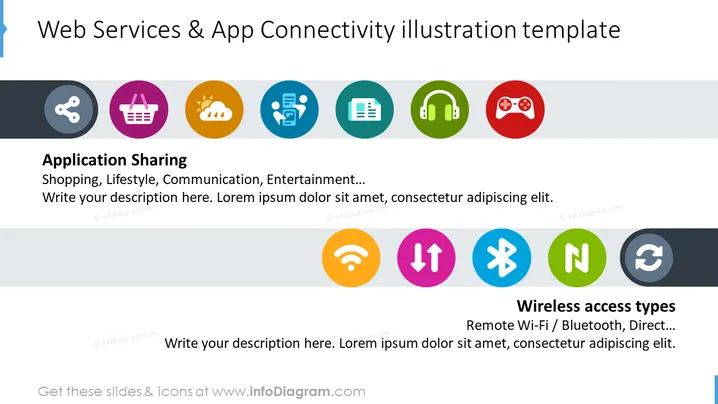
The slide is titled "Web Services & App Connectivity illustration template" and appears to cover two main topics: "Application Sharing" and "Wireless access types." Under Application Sharing, it lists areas such as Shopping, Lifestyle, Communication, Entertainment, suggesting different purposes or categories for sharing applications. For Wireless access types, items mentioned include Remote Wi-Fi / Bluetooth, Direct, pointing to various connectivity methods or technologies used for web services and app interaction.
Graphical Look
- In the top section of the slide, there are seven circular icons, each with a different color and symbol, arranged in a row.
- Each icon represents a different category of application service, such as shopping or gaming.
- Below the row of icons, a bold title "Application Sharing" is present, followed by examples "Shopping, Lifestyle, Communication, Entertainment..." in a lighter font.
- The bottom section of the slide features another set of four circular icons, also in varying colors, focused on connectivity.
- Underneath these icons, "Wireless access types" is written in bold, with examples "Remote Wi-Fi / Bluetooth, Direct..." following in a lighter font.
- The background of the slide is white, with a title in a large, bold font at the top and two text placeholders below each section of icons for further description.
The slide has a clean, modern look with flat design icons that are brightly colored to capture attention. The division of the slide into two concept areas allows for a straightforward presentation of information.
Use Cases
- To present an overview of different types of web services and connectivity options in a tech company's internal meeting.
- As part of a pitch to potential investors or partners highlighting the range of services or connection methods a new app offers.
- In an educational or training context to introduce and explain the concepts of application sharing and wireless connectivity.
- During a webinar or online tutorial, as a visual aid to discuss the current trends in digital services and their integration across platforms.
How to Edit
How to edit text & colors

How to expand / shorten diagram

How to Replace Icons in infoDiagram PPT


