
Reviews
Sus gráficos añaden un toque agradable a mis presentaciones y recientemente los usé para una de mis reuniones generales. Su conjunto de herramientas añade profesionalismo a mis diapositivas. En lugar de usar imágenes prediseñadas estándar.
Necesitaba un aspecto fresco para algunas de mis diapositivas. Había intentado encontrar una forma de crear un efecto de pincel, de subrayar, acentuar, añadir algo de color y los marcadores escritos a mano fueron justo lo que necesitaba. Muy fácil de usar, fácil de ajustar el tamaño, cambiar el color. Fue una solución asequible y perfecta, y estoy feliz de recomendarla.
El aspecto nítido y limpio de los gráficos, y el hecho de que me permitiera editar y cambiar fácilmente los colores para que coincidieran con la plantilla fue mi principal razón para comprarlos.
Description
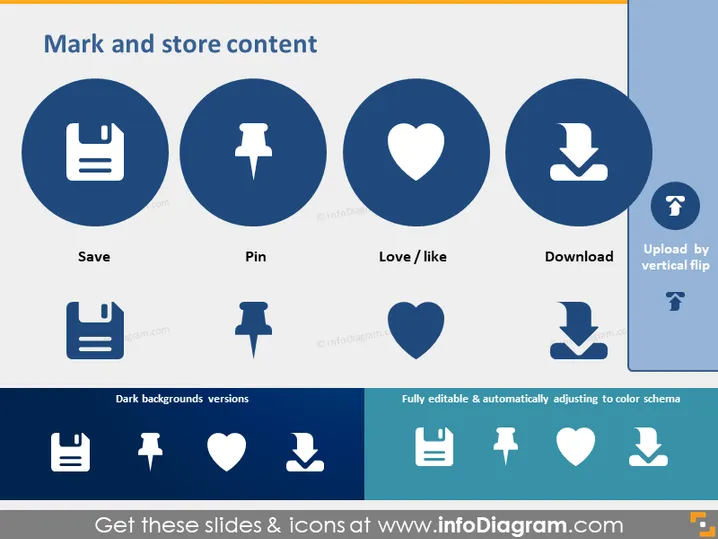
Mark and store content
Slide Content
This slide is titled "Mark and store content" and presents four concepts represented by icons and text: Save, Pin, Love/Like, and Download. Each concept is illustrated by an icon encircled in blue: a floppy disk for Save, which denotes storing data for future access; a pushpin for Pin, indicating the marking of important information; a heart for Love/Like, symbolizing user appreciation; and an arrow pointing downward for Download, signifying the transfer of data from the internet to a local device.
Graphical Look
- There is a large title at the top of the slide in dark blue text.
- Four circular, dark blue icons represent the Save, Pin, Love/Like, and Download functions.
- Beneath each icon, the function name is listed in smaller, bold text.
- Dual-tone background with the majority being a light background and a vertical band in darker shade on the right side.
- There's a section labeled "Dark backgrounds versions" with alternate versions of the icons optimized for dark backgrounds.
- Another section titled "Fully editable & automatically adjusting to color schema" features the same icons.
- The color palette is mainly blue, with white text and icons for readability.
The slide has a clean and modern design with a focus on usability and visual clarity. The circular icons and harmonized color scheme create a professional and coherent visual message.
Use Cases
- Presenting user interface options for websites or apps during a design meeting.
- Explaining content management practices in digital marketing sessions.
- Highlighting features in a product demonstration to potential customers.
- Providing training on content curation tools inside educational materials or tutorials.
How to Edit
How to edit text & colors

How to expand / shorten diagram

How to Replace Icons in infoDiagram PPT


