

Your graphics add a nice touch to my presentations and I recently used them for one of my all-hands meetings. Your toolbox adds professionalism to my slides. Instead of using standard clipart.
Claude Jones, Director of Engineer, @Walmartlabs, USA

Your graphics add a nice touch to my presentations and I recently used them for one of my all-hands meetings. Your toolbox adds professionalism to my slides. Instead of using standard clipart.
Claude Jones, Director of Engineer, @Walmartlabs, USA
I needed a fresh look at some of my slides. I've tried to find a way to create a paintbrush effect, to underline, accentuate, add some color and the handwritten markers were just the things. Very easy to use, easy to size, change the color. It was an affordable, perfect solution and I'm happy to recommend it.
Anonymous, US
The crisp, clean look of the graphics, and the fact that it allowed me to easily edit and change the colors to match the template was my main reason for purchasing them.
Brandie Jenkins, E-learning Developer, USA
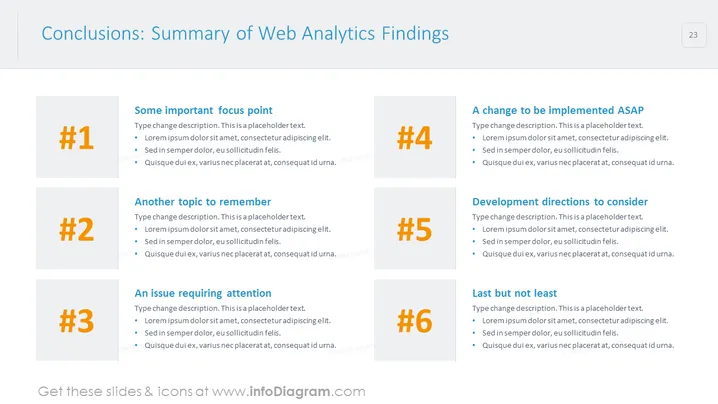
The PowerPoint slide is titled "Conclusions: Summary of Web Analytics Findings" and it presents a structured summary divided into six focus areas. Each focus area is numbered and seems to enumerate key findings or suggestions derived from web analytics. "#1 Some important focus point" might discuss pivotal insights. "#2 Another topic to remember" suggests additional crucial information. "#3 An issue requiring attention" highlights a problem area that needs to be addressed. "#4 A change to be implemented ASAP" emphasizes urgency for action. "#5 Development directions to consider" reflects on potential future strategies. Lastly, "#6 Last but not least" underscores an important point that should not be overlooked.
The slide employs a minimalist design with ample white space that aids in focusing attention on the key areas of the presentation. The use of numerical identifiers combined with text boxes provides a straightforward way of organizing complex information.



