
Reviews
Sus gráficos añaden un toque agradable a mis presentaciones y recientemente los usé para una de mis reuniones generales. Su conjunto de herramientas añade profesionalismo a mis diapositivas. En lugar de usar imágenes prediseñadas estándar.
Necesitaba un aspecto fresco para algunas de mis diapositivas. Había intentado encontrar una forma de crear un efecto de pincel, de subrayar, acentuar, añadir algo de color y los marcadores escritos a mano fueron justo lo que necesitaba. Muy fácil de usar, fácil de ajustar el tamaño, cambiar el color. Fue una solución asequible y perfecta, y estoy feliz de recomendarla.
El aspecto nítido y limpio de los gráficos, y el hecho de que me permitiera editar y cambiar fácilmente los colores para que coincidieran con la plantilla fue mi principal razón para comprarlos.
Description
Waterfall 6 Steps Diagram
Slide Content
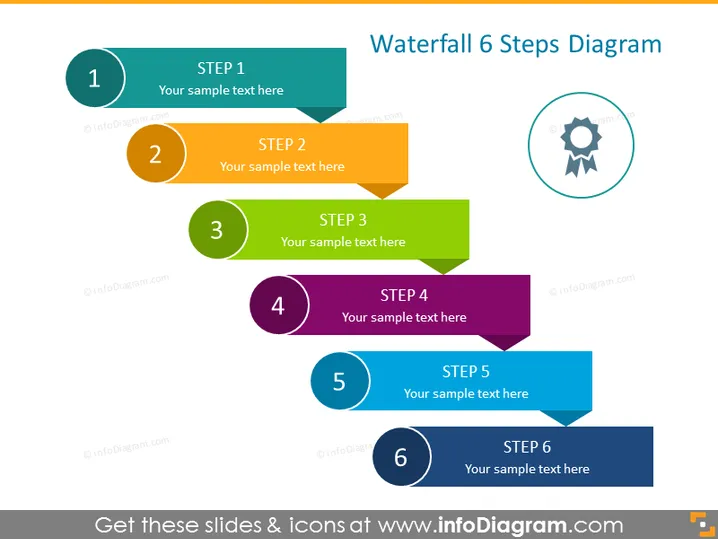
The slide presents a 6-step process through a Waterfall 6 Steps Diagram, with each step represented by a different colored block and number. Each step contains a placeholder for text, suggesting that each part of the process can be described in detail. "Step 1" is outlined to highlight its starting point, and the subsequent steps follow in a staggered, descending arrangement that visualizes a progression or sequential flow.
Graphical Look
- The title "Waterfall 6 Steps Diagram" is placed at the top right in a large, bold font.
- Six numbered circular shapes are presented, each containing a unique color and a step number from 1 to 6.
- Each circular shape is connected to a rectangular color-matched block with a corresponding "STEP" label followed by the step number.
- The rectangular blocks are aligned in a staggered layout, descending from left to right, creating a waterfall effect.
- A circular icon with a gear and award ribbon is positioned to the right of the title, suggesting a concept of accomplishment or quality.
- The color scheme includes a variety of bright and distinct colors – teal, orange, green, purple, and two shades of blue.
The overall look of the slide is vibrant and dynamic, with a clear visual structure that guides the viewer through the steps. The waterfall layout provides an intuitive flow that indicates a sequential process or progression.
Use Cases
- Illustrating phases of a project from initiation to completion in a project management presentation.
- Describing a multi-step procedure or workflow in a business process training session.
- Summarizing the stages of product development or service implementation in a marketing or sales pitch.
- Explaining the steps involved in strategic planning or policy implementation in a corporate or organizational meeting.
How to Edit
How to edit text & colors

How to expand / shorten diagram

How to Replace Icons in infoDiagram PPT


