
Reviews
Ihre Grafiken verleihen meinen Präsentationen eine nette Note, und ich habe sie kürzlich für eines meiner All-Hands-Meetings verwendet. Ihre Toolbox verleiht meinen Folien Professionalität, anstatt Standard-Clipart zu verwenden.
Ich brauchte einen neuen Blick auf einige meiner Folien. Ich habe versucht, einen Weg zu finden, einen Pinselschlag-Effekt zu erzielen, um zu unterstreichen, hervorzuheben, Farbe hinzuzufügen, und die handgeschriebenen Markierungen waren genau das Richtige. Sehr einfach zu bedienen, leicht in der Größe zu ändern, die Farbe zu ändern. Es war eine erschwingliche, perfekte Lösung und ich empfehle sie gerne weiter.
Die klare, saubere Optik der Grafiken und die Tatsache, dass ich die Farben leicht bearbeiten und an die Vorlage anpassen konnte, war mein Hauptgrund für den Kauf.
Description
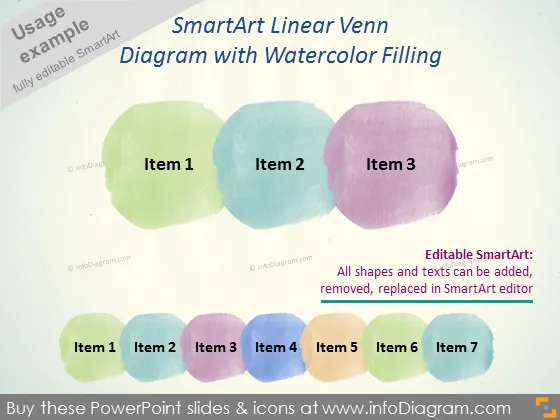
SmartArt Linear Venn Diagram with Watercolor Filling
Slide Content
The slide presents a unique SmartArt Linear Venn Diagram with watercolor filling. Item 1, Item 2, and Item 3 likely represent three overlapping areas or concepts, depicted through the Venn diagram format. Usually, overlap in a Venn diagram suggests shared characteristics or areas of cooperation among the items. Below the main diagram, a linear sequence of watercolor shapes labeled from Item 1 to Item 7 suggests a process or sequence of events, where each 'Item' might represent a distinct stage, feature, or category within a broader topic or workflow.
Graphical Look
- Three overlapping watercolor blobs in different pastel colors: green, blue, and purple, labeled Item 1, Item 2, and Item 3.
- A row of seven smaller watercolor shapes beneath the larger blobs, sequentially labeled from Item 1 to Item 7, each in a different color.
- A light-colored background that contrasts with the watercolor elements.
- Text with a description of the SmartArt graphic's editability to the right of the blobs.
The slide design is artistic, using soft pastel watercolors to create an organic and approachable feel. The large, overlapping shapes in conjunction with the smaller sequential shapes offer a visual representation of connection and progression.
Use Cases
- Demonstrating relationships between different concepts or business units in a company meeting.
- Representing stages in a process or project timeline during a project management presentation.
- Visualizing product feature overlaps or market segment intersections in a marketing strategy session.
- Enhancing educational materials to explain complex topics with visual aids that highlight overlap and sequence.
How to Edit
How to edit text & colors

How to expand / shorten diagram

How to Replace Icons in infoDiagram PPT


