
Reviews
Ihre Grafiken verleihen meinen Präsentationen eine nette Note, und ich habe sie kürzlich für eines meiner All-Hands-Meetings verwendet. Ihre Toolbox verleiht meinen Folien Professionalität, anstatt Standard-Clipart zu verwenden.
Ich brauchte einen neuen Blick auf einige meiner Folien. Ich habe versucht, einen Weg zu finden, einen Pinselschlag-Effekt zu erzielen, um zu unterstreichen, hervorzuheben, Farbe hinzuzufügen, und die handgeschriebenen Markierungen waren genau das Richtige. Sehr einfach zu bedienen, leicht in der Größe zu ändern, die Farbe zu ändern. Es war eine erschwingliche, perfekte Lösung und ich empfehle sie gerne weiter.
Die klare, saubere Optik der Grafiken und die Tatsache, dass ich die Farben leicht bearbeiten und an die Vorlage anpassen konnte, war mein Hauptgrund für den Kauf.
Description
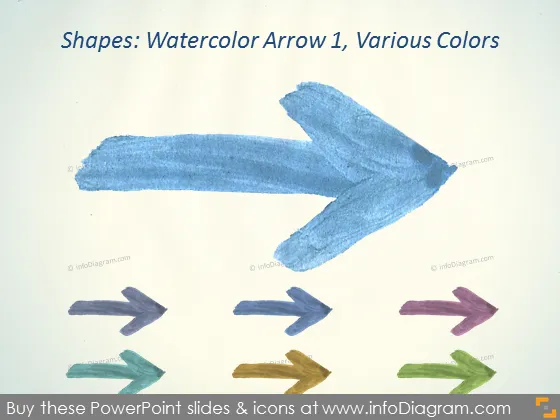
Shapes: Watercolor Arrow 1, Various Colors
Slide Content
This PowerPoint slide presents a collection of artistic watercolor arrows in various colors which symbolizes different directions or options. The main, larger arrow is in a bold blue color, suggesting it might be the primary focus or option. The other arrows are smaller, painted in green, brown, purple, and golden hues, indicating secondary or alternative choices that the presenter might want to discuss.
Graphical Look
- The slide background is textured, resembling watercolor paper, giving it an artistic feel.
- The main feature is a large blue watercolor arrow in the center, angled diagonally across the slide.
- Below the main arrow, there is a row of smaller arrows pointing to the right, each a different color: green, brown, purple, and gold.
- Each arrow exhibits a watercolor effect with variations in shade and brushstroke texture, indicating they were painted by hand.
- There is a plain white space around the arrows, ensuring they stand out and the colors don't blend into the background.
- The slide title is positioned at the top, written in a simple serif font, which contrasts the artistic nature of the arrows.
The overall look of the slide is creative and colorful with a handcrafted feel due to the watercolor aesthetics. The differing arrow sizes and colors are immediately eye-catching and convey a sense of diversity or options.
Use Cases
- To illustrate different pathways or strategies in a business strategy presentation.
- As a visual metaphor for choice, where each arrow represents a different business decision or option.
- To add a creative, informal touch to an otherwise standard business presentation, humanizing the content.
- To guide a discussion on process flow or directional shifts within project management, marketing plans, or company transitions.
How to Edit
How to edit text & colors

How to expand / shorten diagram

How to Replace Icons in infoDiagram PPT


