
Reviews
Sus gráficos añaden un toque agradable a mis presentaciones y recientemente los usé para una de mis reuniones generales. Su conjunto de herramientas añade profesionalismo a mis diapositivas. En lugar de usar imágenes prediseñadas estándar.
Necesitaba un aspecto fresco para algunas de mis diapositivas. Había intentado encontrar una forma de crear un efecto de pincel, de subrayar, acentuar, añadir algo de color y los marcadores escritos a mano fueron justo lo que necesitaba. Muy fácil de usar, fácil de ajustar el tamaño, cambiar el color. Fue una solución asequible y perfecta, y estoy feliz de recomendarla.
El aspecto nítido y limpio de los gráficos, y el hecho de que me permitiera editar y cambiar fácilmente los colores para que coincidieran con la plantilla fue mi principal razón para comprarlos.
Description
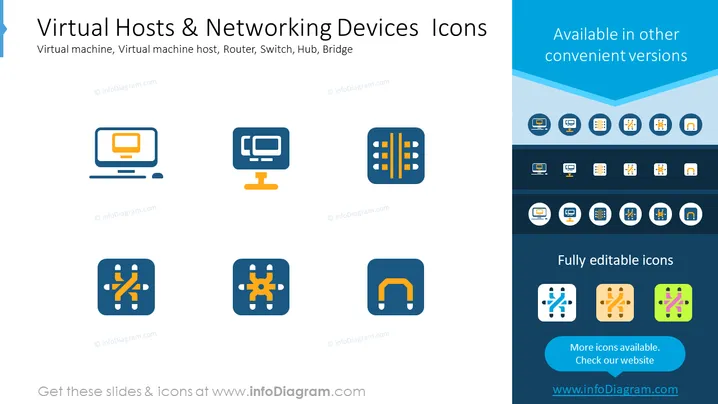
Virtual Hosts & Networking Devices Icons
Slide Content
The slide titled "Virtual Hosts & Networking Devices Icons" presents a set of stylized graphical icons representing various components of computer networking. The icons depict a virtual machine, which is an emulation of a computer system; a virtual machine host, which provides the underlying physical hardware support for the virtual machines; a router, which directs data between networks; a switch, used for connecting devices within a single network and directing data at the data link layer; a hub, a basic networking device for connecting multiple Ethernet devices; and a bridge, which connects separate network segments.
Graphical Look
- The slide is designed with a simple and modern aesthetic.
- There are six icons arranged in two rows, three on top and three at the bottom.
- Each icon is placed inside a rounded square with a subtle gradient background.
- Above the icons, there is the slide title in bold, large font size.
- Subtitles below the icons explain what each one represents.
- On the right, a vertical panel shows alternative color versions of the icons.
- The slide utilizes a limited color palette, mainly blue tones, with orange accents.
- The text on the slide is crisp and legible, with a sans-serif font choice.
The slide uses a clean and minimalist design, ensuring that the focus remains on the icons. The consistent use of shape and colors across the icons contributes to a cohesive and professional appearance.
Use Cases
- Demonstrating the components of a network architecture during an IT infrastructure presentation.
- Teaching or training sessions about virtualization and networking concepts.
- Visual aid for a webinar or online course on network technology.
- Enhancing technical documentation or proposals with visual representations of network devices.
How to Edit
How to edit text & colors

How to expand / shorten diagram

How to Replace Icons in infoDiagram PPT


