
Reviews
Ihre Grafiken verleihen meinen Präsentationen eine nette Note, und ich habe sie kürzlich für eines meiner All-Hands-Meetings verwendet. Ihre Toolbox verleiht meinen Folien Professionalität, anstatt Standard-Clipart zu verwenden.
Ich brauchte einen neuen Blick auf einige meiner Folien. Ich habe versucht, einen Weg zu finden, einen Pinselschlag-Effekt zu erzielen, um zu unterstreichen, hervorzuheben, Farbe hinzuzufügen, und die handgeschriebenen Markierungen waren genau das Richtige. Sehr einfach zu bedienen, leicht in der Größe zu ändern, die Farbe zu ändern. Es war eine erschwingliche, perfekte Lösung und ich empfehle sie gerne weiter.
Die klare, saubere Optik der Grafiken und die Tatsache, dass ich die Farben leicht bearbeiten und an die Vorlage anpassen konnte, war mein Hauptgrund für den Kauf.
Description
Vertical Tube Filtration Diagram – 5 Layers
Slide Content
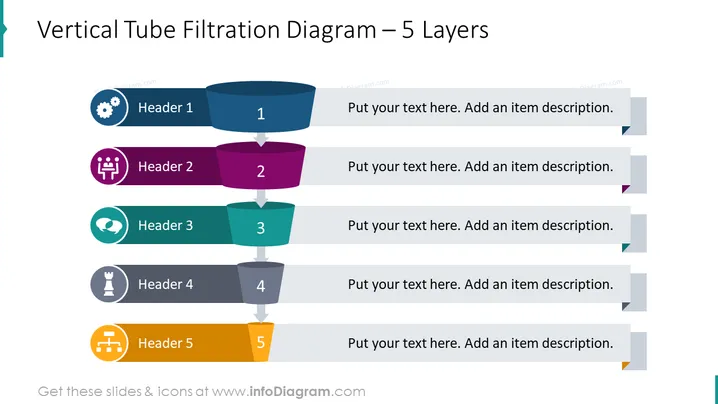
The slide depicts a "Vertical Tube Filtration Diagram" with five distinct layers. Each layer is represented by a horizontal cylinder and has a dedicated color and header, ranging from "Header 1" through "Header 5". Every cylinder correlates with a placeholder numbered from 1 to 5 for text, where one can add an item description. The concept illustrates a step-by-step filtration process or a layered approach to a particular topic.
Graphical Look
- A large, bold title at the top of the slide in dark text.
- Five horizontal cylindrical shapes arranged in a vertical stack, signifying different filtration layers.
- Each shape has a distinct color (blue, purple, teal, dark grey, and orange) to differentiate the layers.
- Corresponding icons adjacent to each layer on the left-hand side.
- Icons are varied, including a gear, a cluster of people, a globe, chess piece, and network.
- Small, stylized number badges atop each cylinder, sequentially numbered from 1 to 5.
- Grey text boxes aligned to the right of each layer.
- Each text box comes with a directional arrow, pointing towards the text area for adding descriptions.
The overall look is clean and professional with a clear hierarchical structure that visually represents layers of a process. The use of distinct colors and icons helps in distinguishing each step and facilitates engagement and comprehension.
Use Cases
- To illustrate a step-by-step process or sequential phases in a project presentation.
- For explaining the layers of a product or system in a technical or engineering meeting.
- As a visual aid to depict the stages of problem-solving in a consulting or management strategy presentation.
- To demonstrate the order of operations or levels of decision-making in a corporate training or educational environment.
How to Edit
How to edit text & colors

How to expand / shorten diagram

How to Replace Icons in infoDiagram PPT


