
Reviews
Your graphics add a nice touch to my presentations and I recently used them for one of my all-hands meetings. Your toolbox adds professionalism to my slides. Instead of using standard clipart.
I needed a fresh look at some of my slides. I've tried to find a way to create a paintbrush effect, to underline, accentuate, add some color and the handwritten markers were just the things. Very easy to use, easy to size, change the color. It was an affordable, perfect solution and I'm happy to recommend it.
The crisp, clean look of the graphics, and the fact that it allowed me to easily edit and change the colors to match the template was my main reason for purchasing them.
Description
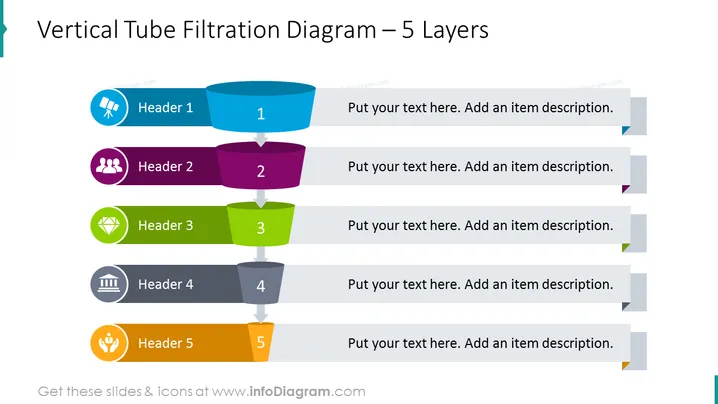
Vertical Tube Filtration Diagram – 5 Layers
Slide Content
The slide represents a vertical tube filtration system segmented into five distinct layers. Each layer, numbered and color-coded, indicates a stage of the process with a corresponding icon and placeholder text for a header and description. "Header 1" with a blue capsule and a broken circle icon suggests initial input or phase. "Header 2" follows in purple with a user group icon, possibly implying a collaborative stage. "Header 3" in green with a diamond icon might denote a crucial or value-generating step. "Header 4" in grey with a building icon could represent an infrastructure or operational layer, while "Header 5" in orange with a hand and plant suggests the final outcome or sustainable impact.
Graphical Look
- The title is prominently displayed at the top in bold, dark text against a light background.
- The diagram is composed of five horizontal, 3D cylindrical shapes aligned vertically and representing filtration layers.
- Each layer has a distinct color: light blue, dark purple, lime green, dark grey, and bright orange, likely to differentiate the stages.
- Arrows pointing downwards are placed between the cylinders, indicating the flow through the filtration process.
- Icons accompanying each header: a broken circle, group of people, diamond, building, and hand with a plant, are colored to match their respective layers.
- Text placeholders next to each layer suggest where additional information or descriptions can be entered.
- Light grey tabs with a directional chevron protrude from the text placeholders, adding to the visual flow of the layout.
The slide has a clean and modern aesthetic, with a mix of bright and neutral colors that draw attention to each stage of the filtration process. The use of 3D shapes and distinct icons creates a visually appealing hierarchy for presenting information.
Use Cases
- To explain a multi-stage process, such as water treatment or product development, in engineering or environmental presentations.
- To offer a visual breakdown of a company's organizational structure or decision-making chain to employees or stakeholders.
- During training sessions, to clarify workflow processes or guidelines for task completion across different departments.
- In marketing materials to demonstrate the layered benefits or features of a product to potential customers or investors.
How to Edit
How to edit text & colors

How to expand / shorten diagram

How to Replace Icons in infoDiagram PPT


