
Reviews
Sus gráficos añaden un toque agradable a mis presentaciones y recientemente los usé para una de mis reuniones generales. Su conjunto de herramientas añade profesionalismo a mis diapositivas. En lugar de usar imágenes prediseñadas estándar.
Necesitaba un aspecto fresco para algunas de mis diapositivas. Había intentado encontrar una forma de crear un efecto de pincel, de subrayar, acentuar, añadir algo de color y los marcadores escritos a mano fueron justo lo que necesitaba. Muy fácil de usar, fácil de ajustar el tamaño, cambiar el color. Fue una solución asequible y perfecta, y estoy feliz de recomendarla.
El aspecto nítido y limpio de los gráficos, y el hecho de que me permitiera editar y cambiar fácilmente los colores para que coincidieran con la plantilla fue mi principal razón para comprarlos.
Description
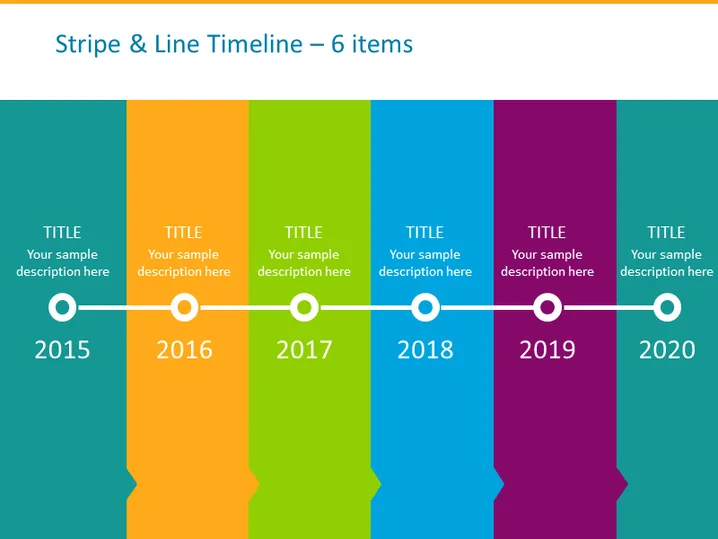
Stripe & Line Timeline – 6 items
Slide Content
The slide features a horizontal timeline chart with six colored stripes, each representing a different year from 2015 to 2020. Every stripe has a place for a title and a sample description, allowing for a brief overview of key events, milestones, or achievements for that year. The years are indicated by circular icons connected by a line, symbolizing the progression of time and continuity.
Graphical Look
- The timeline consists of six vertical colored stripes in teal, orange, lime, blue, magenta, and purple.
- Each stripe contains white text placeholders for a "TITLE" and a "Your sample description here."
- Circular icons with a flat design and a subtle shadow sit at the bottom of each stripe, each enclosing a year from 2015 to 2020.
- A thin horizontal white line connects the circles, creating a visual flow from left to right.
- The background of the slide is a light turquoise color.
The slide has a modern and vibrant look, with bold colors making each segment of the timeline stand out. The design is clean and simplistic, reflecting a focus on ease of reading and clarity.
Use Cases
- Presenting a company’s historical milestones during an annual general meeting.
- Summarizing project phases and their respective completion dates in a project management presentation.
- Highlighting product development stages or release dates in a product launch presentation.
- Displaying a timeline of achieved sales targets or other KPIs over multiple years in a business review meeting.
How to Edit
How to edit text & colors

How to expand / shorten diagram

How to Replace Icons in infoDiagram PPT


