
Reviews
Ihre Grafiken verleihen meinen Präsentationen eine nette Note, und ich habe sie kürzlich für eines meiner All-Hands-Meetings verwendet. Ihre Toolbox verleiht meinen Folien Professionalität, anstatt Standard-Clipart zu verwenden.
Ich brauchte einen neuen Blick auf einige meiner Folien. Ich habe versucht, einen Weg zu finden, einen Pinselschlag-Effekt zu erzielen, um zu unterstreichen, hervorzuheben, Farbe hinzuzufügen, und die handgeschriebenen Markierungen waren genau das Richtige. Sehr einfach zu bedienen, leicht in der Größe zu ändern, die Farbe zu ändern. Es war eine erschwingliche, perfekte Lösung und ich empfehle sie gerne weiter.
Die klare, saubere Optik der Grafiken und die Tatsache, dass ich die Farben leicht bearbeiten und an die Vorlage anpassen konnte, war mein Hauptgrund für den Kauf.
Description
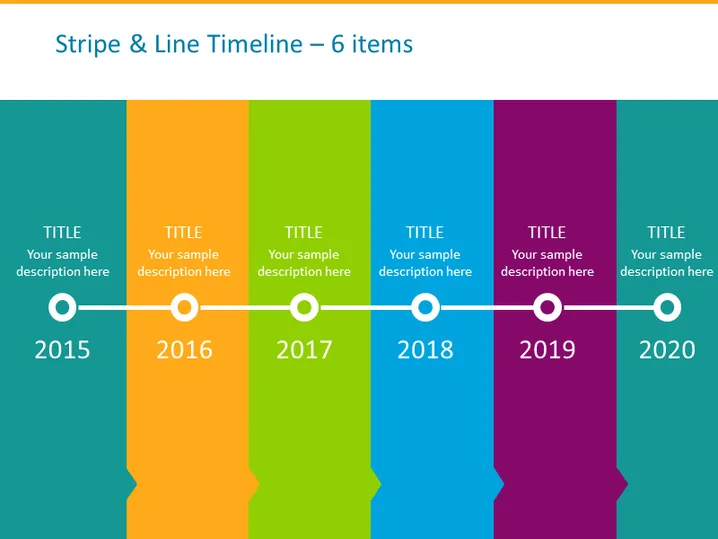
Stripe & Line Timeline – 6 items
Slide Content
The slide features a horizontal timeline chart with six colored stripes, each representing a different year from 2015 to 2020. Every stripe has a place for a title and a sample description, allowing for a brief overview of key events, milestones, or achievements for that year. The years are indicated by circular icons connected by a line, symbolizing the progression of time and continuity.
Graphical Look
- The timeline consists of six vertical colored stripes in teal, orange, lime, blue, magenta, and purple.
- Each stripe contains white text placeholders for a "TITLE" and a "Your sample description here."
- Circular icons with a flat design and a subtle shadow sit at the bottom of each stripe, each enclosing a year from 2015 to 2020.
- A thin horizontal white line connects the circles, creating a visual flow from left to right.
- The background of the slide is a light turquoise color.
The slide has a modern and vibrant look, with bold colors making each segment of the timeline stand out. The design is clean and simplistic, reflecting a focus on ease of reading and clarity.
Use Cases
- Presenting a company’s historical milestones during an annual general meeting.
- Summarizing project phases and their respective completion dates in a project management presentation.
- Highlighting product development stages or release dates in a product launch presentation.
- Displaying a timeline of achieved sales targets or other KPIs over multiple years in a business review meeting.
How to Edit
How to edit text & colors

How to expand / shorten diagram

How to Replace Icons in infoDiagram PPT


