
Reviews
Ihre Grafiken verleihen meinen Präsentationen eine nette Note, und ich habe sie kürzlich für eines meiner All-Hands-Meetings verwendet. Ihre Toolbox verleiht meinen Folien Professionalität, anstatt Standard-Clipart zu verwenden.
Ich brauchte einen neuen Blick auf einige meiner Folien. Ich habe versucht, einen Weg zu finden, einen Pinselschlag-Effekt zu erzielen, um zu unterstreichen, hervorzuheben, Farbe hinzuzufügen, und die handgeschriebenen Markierungen waren genau das Richtige. Sehr einfach zu bedienen, leicht in der Größe zu ändern, die Farbe zu ändern. Es war eine erschwingliche, perfekte Lösung und ich empfehle sie gerne weiter.
Die klare, saubere Optik der Grafiken und die Tatsache, dass ich die Farben leicht bearbeiten und an die Vorlage anpassen konnte, war mein Hauptgrund für den Kauf.
Description
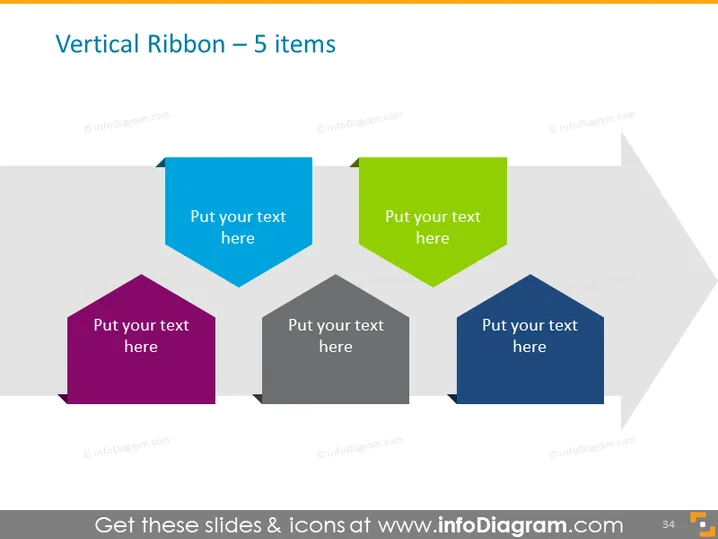
Vertical Ribbon – 5 items
Slide Content
The slide is titled "Vertical Ribbon – 5 items," implying that it presents a concept divided into five components. Each item could represent a step in a process, a feature of a product, or a critical point in a presentation. Every ribbon has space for text, suggesting that detailed descriptions are to be inserted. These labels facilitate the organization of information in a sequential or categorized manner.
Graphical Look
- Five ribbon-shaped banners aligned horizontally across the slide.
- The ribbons are of different colors: blue, green, purple, dark grey, and navy.
- Each ribbon has a distinct shape with sharp, geometric edges.
- Text placeholders with the words "Put your text here" are centrally located on each ribbon.
- The ribbons are staggered, creating an effect of depth, with shadows enhancing the 3D appearance.
- The overall background is white with a subtle gray horizontal line pattern.
The slide features a modern, clean design with a 3D effect created by shadows and staggered elements. The color variation and geometric shapes give the slide a professional yet dynamic look.
Use Cases
- To present a process with five key steps, with each ribbon representing one step.
- To showcase the features of a product or service, detailing each in the space provided on the ribbons.
- For a comparison slide where five different options or categories are evaluated.
- To organize and display sequential information in a business report or proposal presentation.
How to Edit
How to edit text & colors

How to expand / shorten diagram

How to Replace Icons in infoDiagram PPT


