
Reviews
Ihre Grafiken verleihen meinen Präsentationen eine nette Note, und ich habe sie kürzlich für eines meiner All-Hands-Meetings verwendet. Ihre Toolbox verleiht meinen Folien Professionalität, anstatt Standard-Clipart zu verwenden.
Ich brauchte einen neuen Blick auf einige meiner Folien. Ich habe versucht, einen Weg zu finden, einen Pinselschlag-Effekt zu erzielen, um zu unterstreichen, hervorzuheben, Farbe hinzuzufügen, und die handgeschriebenen Markierungen waren genau das Richtige. Sehr einfach zu bedienen, leicht in der Größe zu ändern, die Farbe zu ändern. Es war eine erschwingliche, perfekte Lösung und ich empfehle sie gerne weiter.
Die klare, saubere Optik der Grafiken und die Tatsache, dass ich die Farben leicht bearbeiten und an die Vorlage anpassen konnte, war mein Hauptgrund für den Kauf.
Description
Venn Diagram – 2 Intersecting Circles
Slide Content
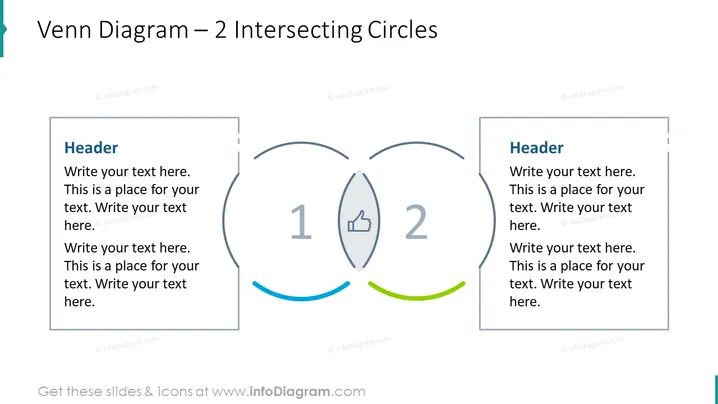
This PowerPoint slide presents a Venn Diagram with 2 Intersecting Circles, often used to illustrate relationships and interactions between two different groups or sets of information. Each circle includes a placeholder "Header" and multiple lines of text where users can insert descriptions or characteristics specific to each group. The overlap of the circles contains a "1" and a "2" to list commonalities or interactions, complemented with icons, such as a thumbs up, denoting positive associations or shared attributes.
Graphical Look
- Two large, slightly overlapping circles in the center to represent the Venn diagram, with the overlapping area clearly visible.
- A thumbs-up icon is located in the overlapping area between the two circles, signifying a positive relationship or common attribute between the groups represented by the individual circles.
- Each circle is associated with a rectangular text box to the left and right of the circles, respectively. These boxes contain a "Header" title and several lines of placeholder text.
- Colored swoops are situated below the circles – one blue and one green, adding a subtle contrast and decorative element to the slide.
- All elements are contained within a clean, white background, allowing the Venn diagram and accompanying text boxes to stand out clearly.
The overall look of the slide is professional and minimalist, with an emphasis on clarity. The use of icons and contrasting colors adds visual interest without distracting from the informational content.
Use Cases
- To compare and contrast the features or offerings of two different products or services.
- In strategy meetings to discuss the overlaps and distinctions between two market segments.
- For educational purposes, to teach the concept of similarities and differences between two subjects.
- During team collaboration sessions to identify areas of shared responsibility or common goals between different departments.
How to Edit
How to edit text & colors

How to expand / shorten diagram

How to Replace Icons in infoDiagram PPT


