
Reviews
Your graphics add a nice touch to my presentations and I recently used them for one of my all-hands meetings. Your toolbox adds professionalism to my slides. Instead of using standard clipart.
I needed a fresh look at some of my slides. I've tried to find a way to create a paintbrush effect, to underline, accentuate, add some color and the handwritten markers were just the things. Very easy to use, easy to size, change the color. It was an affordable, perfect solution and I'm happy to recommend it.
The crisp, clean look of the graphics, and the fact that it allowed me to easily edit and change the colors to match the template was my main reason for purchasing them.
Description
Training Value Proposition
Slide Content
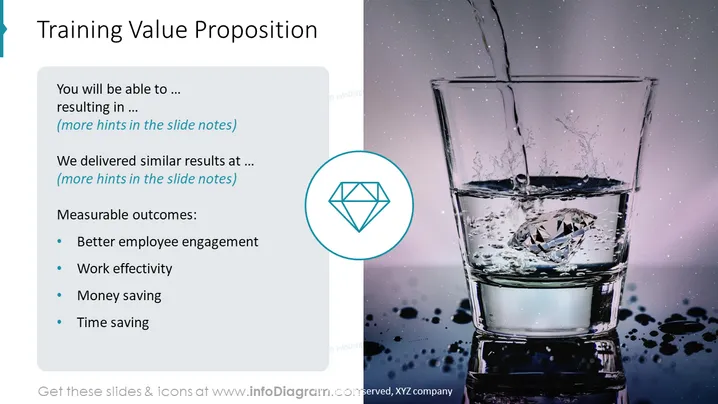
The PowerPoint slide is titled "Training Value Proposition," focusing on the benefits of a particular training program. The slide outlines the advantages attendees will gain, including improved employee engagement, enhanced work effectiveness, cost savings, and time efficiency. These benefits are distilled into measurable outcomes, suggesting a results-oriented approach. Participants are expected to gain specific skills leading to tangible improvements within their work sphere.
Graphical Look
- The slide has a split layout with text content on the left and a high-resolution image on the right.
- A large header in dark blue font presents the title at the top left of the slide.
- Bullet points list the benefits of the training, each accompanied by a circular icon with a checkmark.
- A light blue box contains the main text and is depicted with a subtle shadow giving it a layered appearance.
- The right side features a vivid image of a glass being filled with water, with a diamond icon in a circle overlaying the bottom corner of the image.
- The background behind the text is a gradient of very light grey transitioning to white.
- The text and icons on the left use shades of blue to match the color of the title and the diamond icon.
The slide combines a professional color scheme with a visually engaging image to spotlight the value of the training program. Its clean design with minimal text allows for easy consumption of key takeaways.
Use Cases
- Incorporating into a business or corporate training presentation to highlight the benefits of proposed training initiatives.
- Utilizing in a sales pitch to underscore the value proposition of a training service or program.
- Including in a report or proposal to management demonstrating the expected ROI from investing in employee development.
- Displaying at the beginning of a workshop or seminar to set expectations for the outcomes and benefits for participants.
How to Edit
How to edit text & colors

How to expand / shorten diagram

How to Replace Icons in infoDiagram PPT


