

Your graphics add a nice touch to my presentations and I recently used them for one of my all-hands meetings. Your toolbox adds professionalism to my slides. Instead of using standard clipart.
Claude Jones, Director of Engineer, @Walmartlabs, USA

Your graphics add a nice touch to my presentations and I recently used them for one of my all-hands meetings. Your toolbox adds professionalism to my slides. Instead of using standard clipart.
Claude Jones, Director of Engineer, @Walmartlabs, USA
I needed a fresh look at some of my slides. I've tried to find a way to create a paintbrush effect, to underline, accentuate, add some color and the handwritten markers were just the things. Very easy to use, easy to size, change the color. It was an affordable, perfect solution and I'm happy to recommend it.
Anonymous, US
The crisp, clean look of the graphics, and the fact that it allowed me to easily edit and change the colors to match the template was my main reason for purchasing them.
Brandie Jenkins, E-learning Developer, USA
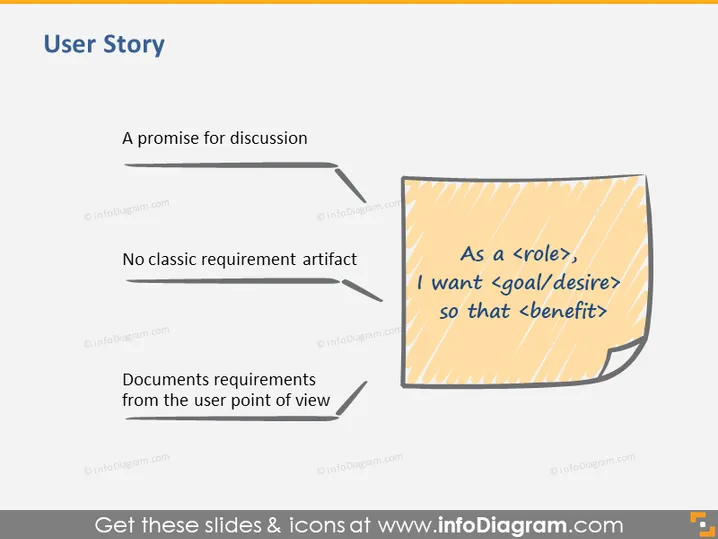
The slide titled "User Story" outlines essential concepts related to agile development methodology. "A promise for discussion" implies that a user story initiates conversation and understanding rather than serving as a final specification. "No classic requirement artifact" indicates that user stories are not traditional, detailed requirements documents. "Documents requirements from the user point of view" suggests that user stories frame requirements based on user needs and experiences, emphasizing empathy and usefulness.
The overall look of the slide is clean and focused, using a sticky note graphic as a metaphor for agility and simplicity in documentation. The contrasting sizes of the text highlight the hierarchical importance of each element.



