

Your graphics add a nice touch to my presentations and I recently used them for one of my all-hands meetings. Your toolbox adds professionalism to my slides. Instead of using standard clipart.
Claude Jones, Director of Engineer, @Walmartlabs, USA

Your graphics add a nice touch to my presentations and I recently used them for one of my all-hands meetings. Your toolbox adds professionalism to my slides. Instead of using standard clipart.
Claude Jones, Director of Engineer, @Walmartlabs, USA
I needed a fresh look at some of my slides. I've tried to find a way to create a paintbrush effect, to underline, accentuate, add some color and the handwritten markers were just the things. Very easy to use, easy to size, change the color. It was an affordable, perfect solution and I'm happy to recommend it.
Anonymous, US
The crisp, clean look of the graphics, and the fact that it allowed me to easily edit and change the colors to match the template was my main reason for purchasing them.
Brandie Jenkins, E-learning Developer, USA
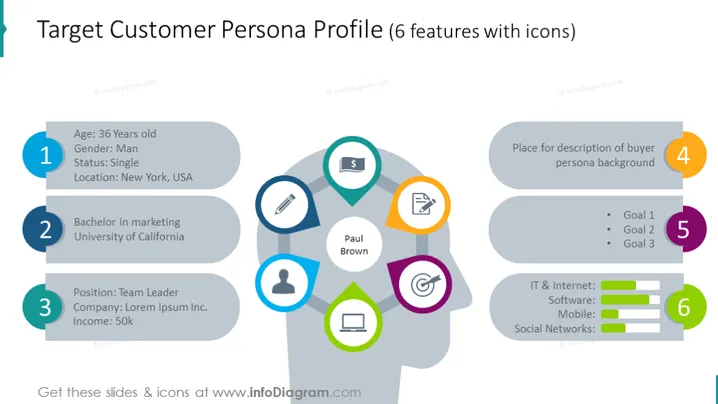
The slide presents a "Target Customer Persona Profile" with six features, each accompanied by an icon. Item 1 covers basic demographic details like age, gender, status, and location. Item 2 provides educational background, specifying a marketing degree from the University of California. Item 3 highlights professional status, mentioning the persona's position as a team leader at a company and their income. Item 4 suggests including a description of the buyer persona's background, while item 5 lists three goals without detail. Finally, item 6 offers a visual representation of the persona’s IT and internet engagement levels across software, mobile, and social networks.
The slide has a clean, professional aesthetic with a structured layout that easily guides the viewer's eyes through the items. The use of icons and progress bars adds a visual complement to the text, enhancing understanding at a glance.



