
Reviews
Ihre Grafiken verleihen meinen Präsentationen eine nette Note, und ich habe sie kürzlich für eines meiner All-Hands-Meetings verwendet. Ihre Toolbox verleiht meinen Folien Professionalität, anstatt Standard-Clipart zu verwenden.
Ich brauchte einen neuen Blick auf einige meiner Folien. Ich habe versucht, einen Weg zu finden, einen Pinselschlag-Effekt zu erzielen, um zu unterstreichen, hervorzuheben, Farbe hinzuzufügen, und die handgeschriebenen Markierungen waren genau das Richtige. Sehr einfach zu bedienen, leicht in der Größe zu ändern, die Farbe zu ändern. Es war eine erschwingliche, perfekte Lösung und ich empfehle sie gerne weiter.
Die klare, saubere Optik der Grafiken und die Tatsache, dass ich die Farben leicht bearbeiten und an die Vorlage anpassen konnte, war mein Hauptgrund für den Kauf.
Description
User Opinions Survey
Slide Content
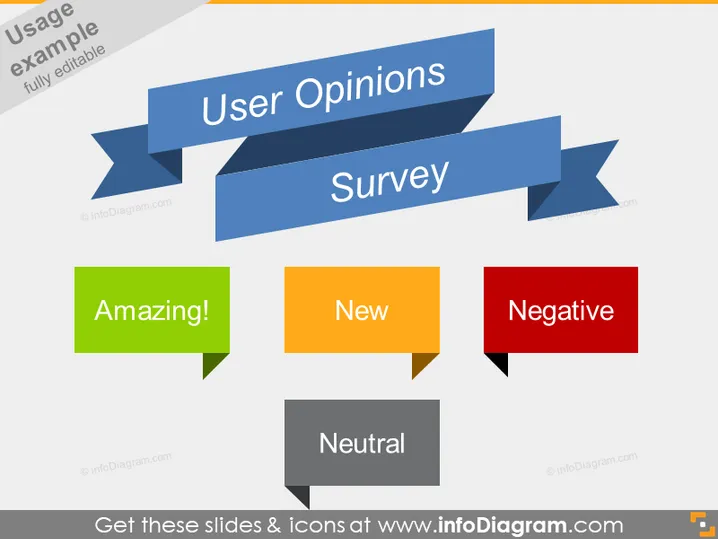
The slide is focused on categorizing user opinions collected through a survey. The title "User Opinions Survey" suggests an analysis or summary of feedback from users. Beneath the title, there are four speech bubble shapes, each with a different label and color, representing various categories of user opinions: "Amazing!" signifies highly positive feedback; "New" could indicate comments on novel features or recent updates; "Negative" points to adverse remarks or criticisms; and "Neutral" reflects comments that are neither positive nor negative, indicating an indifferent or balanced viewpoint.
Graphical Look
- Two overlapping ribbon banners in blue shades with the title text "User Opinions Survey"
- Four speech bubble shapes, each with a different color and word indicating a type of feedback:
- A green speech bubble with "Amazing!"
- Orange with "New"
- Red with "Negative"
- Grey with "Neutral"
The slide is colorful and uses a mix of bold primary and secondary colors to clearly distinguish different categories of user feedback. The design is modern and visually engaging, utilizing geometric shapes and contrasting colors to draw attention to key elements.
Use Cases
- Presenting survey results in a company meeting to showcase customer feedback.
- Highlighting user sentiment in a product development meeting to focus on areas of improvement.
- Displaying a high-level summary of client responses in a marketing strategy presentation.
- Communicating the overall reception of a service or product during a stakeholder update.
How to Edit
How to edit text & colors

How to expand / shorten diagram

How to Replace Icons in infoDiagram PPT


