

Your graphics add a nice touch to my presentations and I recently used them for one of my all-hands meetings. Your toolbox adds professionalism to my slides. Instead of using standard clipart.
Claude Jones, Director of Engineer, @Walmartlabs, USA

Your graphics add a nice touch to my presentations and I recently used them for one of my all-hands meetings. Your toolbox adds professionalism to my slides. Instead of using standard clipart.
Claude Jones, Director of Engineer, @Walmartlabs, USA
I needed a fresh look at some of my slides. I've tried to find a way to create a paintbrush effect, to underline, accentuate, add some color and the handwritten markers were just the things. Very easy to use, easy to size, change the color. It was an affordable, perfect solution and I'm happy to recommend it.
Anonymous, US
The crisp, clean look of the graphics, and the fact that it allowed me to easily edit and change the colors to match the template was my main reason for purchasing them.
Brandie Jenkins, E-learning Developer, USA
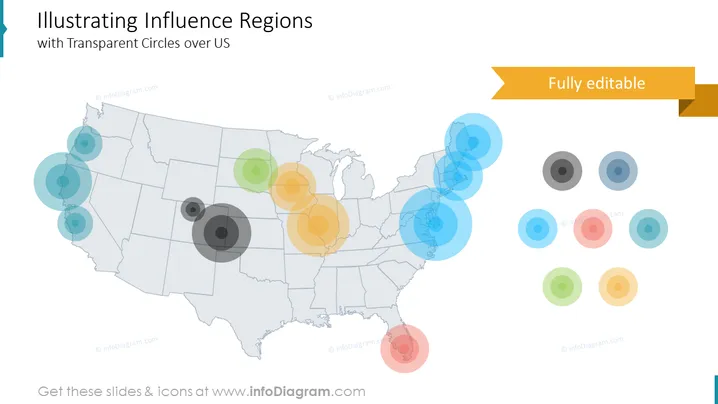
The PowerPoint slide presents a concept titled "Illustrating Influence Regions with Transparent Circles over US," depicting various degrees of influence across different regions of the United States through a series of overlapping transparent circles. The circles' varying sizes likely represent the different magnitudes or intensity of influence, with larger circles denoting more significant influence and smaller circles indicating lesser influence. Each cluster of circles may correlate to a specific topic or metric, communicating how influence spreads geographically.
The slide has a minimalist and professional feel with its use of transparency and color to represent complex data in a visually accessible manner. The composition effectively draws attention to regions of interest without overwhelming the viewer with excessive detail or text.



