

Your graphics add a nice touch to my presentations and I recently used them for one of my all-hands meetings. Your toolbox adds professionalism to my slides. Instead of using standard clipart.
Claude Jones, Director of Engineer, @Walmartlabs, USA

Your graphics add a nice touch to my presentations and I recently used them for one of my all-hands meetings. Your toolbox adds professionalism to my slides. Instead of using standard clipart.
Claude Jones, Director of Engineer, @Walmartlabs, USA
I needed a fresh look at some of my slides. I've tried to find a way to create a paintbrush effect, to underline, accentuate, add some color and the handwritten markers were just the things. Very easy to use, easy to size, change the color. It was an affordable, perfect solution and I'm happy to recommend it.
Anonymous, US
The crisp, clean look of the graphics, and the fact that it allowed me to easily edit and change the colors to match the template was my main reason for purchasing them.
Brandie Jenkins, E-learning Developer, USA
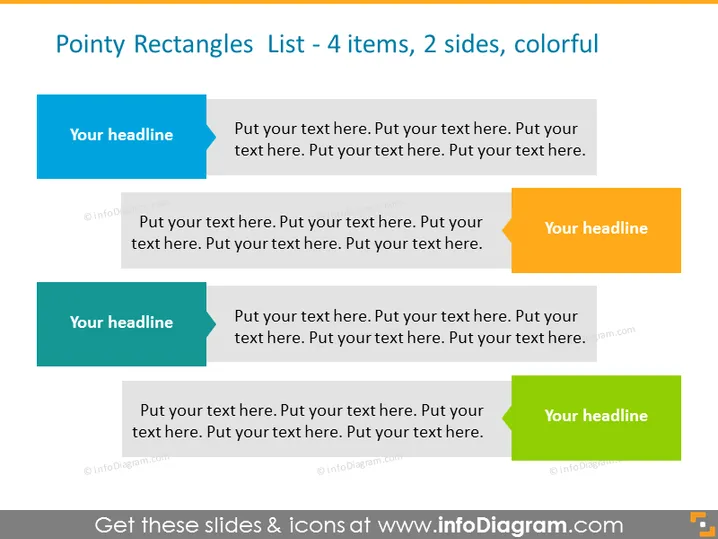
This PowerPoint slide titled "Pointy Rectangles List - 4 items, 2 sides, colorful" is designed to showcase four key points or elements in a symmetrical, two-column format. Each item comprises a colored, pointy rectangle with space for a headline, accompanied by a larger rectangle for additional text. This layout allows for the presentation of ideas or steps in a process with both a main point and descriptive details, enhancing clarity and retention for the audience.
Two columns of pointy rectangles, with two rectangles per column.
Each column starts with a smaller rectangle featuring a 'Your headline' placeholder, followed by a larger rectangle for extended text.
The headline rectangles feature different colors: blue, orange, green, and another shade of blue, from top to bottom.
The larger text rectangles appear in a lighter shade compared to the headline rectangles to differentiate the headline from the explanatory text.
The rectangles have a distinct pointed shape on one end, giving a dynamic appearance to the slide elements.
The overall design is clean, with ample white space around the objects, providing a modern and professional aesthetic.
The slide has a simple and contemporary look with a colorful scheme that can make information stand out while the symmetrical layout ensures easy readability.
Presenting the main points of a marketing strategy in a business meeting, with each rectangle encapsulating a key component.
Illustrating different stages of a project timeline or milestones, where each pointy rectangle represents a specific phase with accompanying details.
Summarizing the features and benefits of a product in a sales pitch, allowing a clear and impactful delivery of information.
Organizing discussion topics for a workshop or training session in a visually engaging format, aiding participants in following the flow of the presentation.



