
Reviews
Ihre Grafiken verleihen meinen Präsentationen eine nette Note, und ich habe sie kürzlich für eines meiner All-Hands-Meetings verwendet. Ihre Toolbox verleiht meinen Folien Professionalität, anstatt Standard-Clipart zu verwenden.
Ich brauchte einen neuen Blick auf einige meiner Folien. Ich habe versucht, einen Weg zu finden, einen Pinselschlag-Effekt zu erzielen, um zu unterstreichen, hervorzuheben, Farbe hinzuzufügen, und die handgeschriebenen Markierungen waren genau das Richtige. Sehr einfach zu bedienen, leicht in der Größe zu ändern, die Farbe zu ändern. Es war eine erschwingliche, perfekte Lösung und ich empfehle sie gerne weiter.
Die klare, saubere Optik der Grafiken und die Tatsache, dass ich die Farben leicht bearbeiten und an die Vorlage anpassen konnte, war mein Hauptgrund für den Kauf.
Description
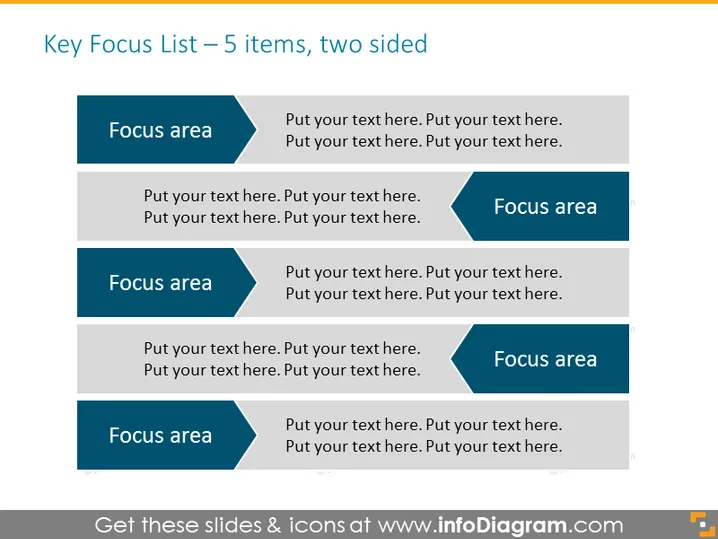
Key Focus List – 5 items, two sided
Slide Content
This PowerPoint slide is designed to present a dual-sided list of five key focus areas. Each focus area is accompanied by a placeholder for descriptive text, demonstrating where a presenter can elaborate on each point. For example, the concept of "Focus area" suggests a topic or aspect that the organization or individual should concentrate on or prioritize. The accompanying text placeholder allows for a detailed explanation or sub-points related to the respective focus area.
Graphical Look
- The slide background is a muted monochromatic color.
- There are five rectangular blocks divided into two columns, with each block representing a focus area.
- Each block has a prominent header highlighted by a darker shade than the block's body, containing the capitalized text "Focus area."
- The blocks are symmetrically arranged, three on the left side and two on the right, evoking a balanced structure.
- Arrow-like shapes are part of the headers for each block, indicating direction or progress.
- Placeholder text within each block reads "Put your text here," suggesting customization for the presenter's content.
The overall look of this PowerPoint slide is clean and modern, with a professional color scheme and balanced layout. The use of contrasting shades and directional shapes provides visual interest and guides the viewer's attention across the content equally.
Use Cases
- To outline strategic priorities for a business during an annual meeting.
- For educators to detail the main topics or modules of a syllabus during a curriculum presentation.
- As a project briefing document to highlight key deliverables or milestones to a team.
- In sales pitches to showcase the main benefits or features of a product or service.
How to Edit
How to edit text & colors

How to expand / shorten diagram

How to Replace Icons in infoDiagram PPT


