
Reviews
Ihre Grafiken verleihen meinen Präsentationen eine nette Note, und ich habe sie kürzlich für eines meiner All-Hands-Meetings verwendet. Ihre Toolbox verleiht meinen Folien Professionalität, anstatt Standard-Clipart zu verwenden.
Ich brauchte einen neuen Blick auf einige meiner Folien. Ich habe versucht, einen Weg zu finden, einen Pinselschlag-Effekt zu erzielen, um zu unterstreichen, hervorzuheben, Farbe hinzuzufügen, und die handgeschriebenen Markierungen waren genau das Richtige. Sehr einfach zu bedienen, leicht in der Größe zu ändern, die Farbe zu ändern. Es war eine erschwingliche, perfekte Lösung und ich empfehle sie gerne weiter.
Die klare, saubere Optik der Grafiken und die Tatsache, dass ich die Farben leicht bearbeiten und an die Vorlage anpassen konnte, war mein Hauptgrund für den Kauf.
Description
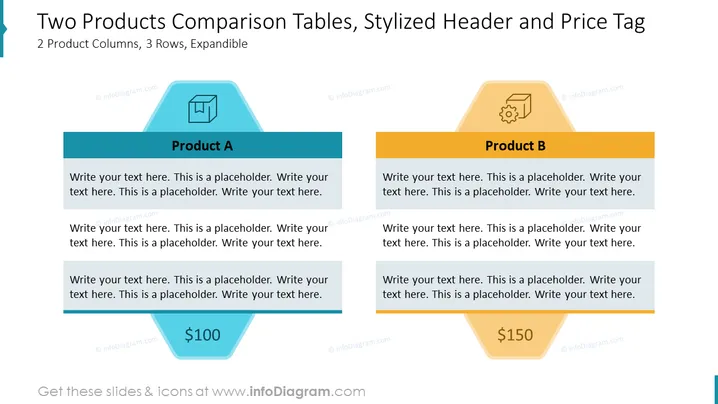
Two Products Comparison Tables, Stylized Header and Price Tag
Slide Content
The slide showcases a comparison between two products, Product A and Product B. Both products are presented in a table format with three sections each. Each product has a space for a title, description or features, and a price tag. Product A is priced at $100 and Product B at $150. The layout is designed for clear visualization of differences and similarities between the product offerings, making it easy to compare key attributes and prices at a glance.
Graphical Look
- Two large parallelogram shapes side by side, one in light blue representing Product A, and the other in light orange representing Product B.
- Each parallelogram has three rows: a header with the product title, a larger area for product description, and a smaller area for the price tag at the bottom.
- The header row for Product A is dark blue, and the one for Product B is dark orange, providing a color-coded contrast to the rest of their respective shapes.
- A stylized hexagon shape at the top of each product section, with an icon inside - a shield for Product A and a gear for Product B.
- Price tags are designed to look like inverted tags with the prices clearly displayed within: $100 for Product A and $150 for Product B.
- The slide background is white, providing a clean backdrop that emphasizes the colored shapes and content.
The overall look of the slide is modern and professional, using geometric shapes and a contrasting color scheme to differentiate between the two product options. The visual elements are laid out in a manner that's easy to follow and aesthetically pleasing.
Use Cases
- Comparing different product offerings or plans in sales presentations to highlight the best option for the customer.
- Showcasing the features and pricing of competing products in a market analysis meeting.
- Presenting upgrade options or additional service packages to existing clients during business review meetings.
- Using in training materials to educate sales teams on the unique selling points and advantages of different products or services in the company's portfolio.
How to Edit
How to edit text & colors

How to expand / shorten diagram

How to Replace Icons in infoDiagram PPT


