
Reviews
Sus gráficos añaden un toque agradable a mis presentaciones y recientemente los usé para una de mis reuniones generales. Su conjunto de herramientas añade profesionalismo a mis diapositivas. En lugar de usar imágenes prediseñadas estándar.
Necesitaba un aspecto fresco para algunas de mis diapositivas. Había intentado encontrar una forma de crear un efecto de pincel, de subrayar, acentuar, añadir algo de color y los marcadores escritos a mano fueron justo lo que necesitaba. Muy fácil de usar, fácil de ajustar el tamaño, cambiar el color. Fue una solución asequible y perfecta, y estoy feliz de recomendarla.
El aspecto nítido y limpio de los gráficos, y el hecho de que me permitiera editar y cambiar fácilmente los colores para que coincidieran con la plantilla fue mi principal razón para comprarlos.
Description
Listing Details
Slide Content
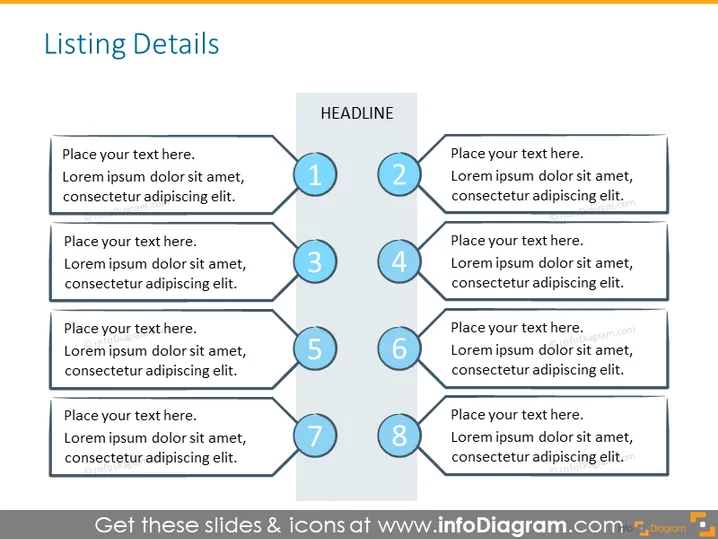
The PowerPoint slide titled "Listing Details" appears to illustrate a structured framework for presenting information in a sequential or categorized manner. The slide is visually organized into eight sections, each with a placeholder for text and a corresponding number. Each numbered section potentially represents a step or a key point, allowing the presenter to outline a process, a list of items, or various attributes of a topic in a clear and organized way. The placeholders suggest the inclusion of explanatory text for each item listed.
Graphical Look
- The slide has a clean, professional design with a cool color palette, primarily blue and gray tones.
- It features a two-column layout; the left column contains four text boxes with placeholder text, while the right column has a central title box labeled "HEADLINE" with four numbered circles adjacent to it.
- Each numbered circle is connected to a corresponding text box by a solid line, creating a visual bridge that guides the viewer's eye across the slide.
- The numbered circles have a three-dimensional effect, with a subtle drop shadow to give the impression of layers.
- The background of the slide is a light gray, providing a neutral canvas that makes the blue and black elements stand out.
- Text within the placeholders is in black, ensuring readability against the light background.
The overall look of the slide is modern and business-like, with a structured layout that promotes clarity. The design elements are used consistently, delivering a visually harmonious presentation.
Use Cases
- This slide can be used to outline steps in a business process or workflow during team meetings or training sessions.
- It can be presented to stakeholders to highlight key points in a business proposal or project plan.
- The slide is suitable for summarizing the agenda items or topics in a conference presentation or seminar.
- Businesses might utilize it to categorize and explain the benefits or features of a product in a sales pitch or marketing presentation.
How to Edit
How to edit text & colors

How to expand / shorten diagram

How to Replace Icons in infoDiagram PPT


