
Reviews
Your graphics add a nice touch to my presentations and I recently used them for one of my all-hands meetings. Your toolbox adds professionalism to my slides. Instead of using standard clipart.
I needed a fresh look at some of my slides. I've tried to find a way to create a paintbrush effect, to underline, accentuate, add some color and the handwritten markers were just the things. Very easy to use, easy to size, change the color. It was an affordable, perfect solution and I'm happy to recommend it.
The crisp, clean look of the graphics, and the fact that it allowed me to easily edit and change the colors to match the template was my main reason for purchasing them.
Description
Presentation Title
Slide Content
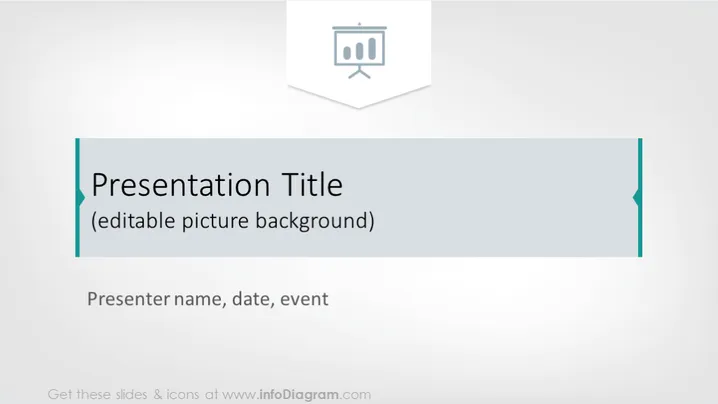
The slide is titled "Presentation Title" which indicates it is likely the introductory slide to a PowerPoint presentation. Beneath the title, it reads "(editable picture background)," showing that this template allows for customization by adding an image. At the bottom, "Presenter name, date, event" suggests the slide should be personalized with the speaker's information and the context of the presentation. This layout is standard for setting the stage and introducing a presentation's topic and speaker.
Graphical Look
- A large, semi-transparent rectangle occupies the central area, functioning as the title text's background.
- Teal-colored vertical borders are framing the left and the right sides of the rectangle.
- The title "Presentation Title" is situated inside the rectangle in bold font, making it stand out as the focal point.
- The subtitle "(editable picture background)" appears in a smaller font underneath the title, indicating customization options.
- The text "Presenter name, date, event" is located at the bottom, centered for adding the presenter's details.
- All the text is in shades of dark teal, matching the borders of the rectangle.
- The overall slide background is a light gradient with a subtle hint of pattern, adding depth but not distracting from the content.
- There is an icon representing a slide or presentation in the upper left corner, which is likely a visual metaphor for the PowerPoint presentation itself.
The slide has a clean and professional aesthetic with a minimalistic design. The use of geometric shapes and a cohesive color scheme provides a modern and stylish look that is versatile for various presentation contexts.
Use Cases
- To introduce the opening of a business meeting or workshop, setting a clear and professional tone for the event.
- In an academic or professional conference, to provide attendees with the name of the presentation, as well as the speaker's name and the date.
- During corporate training sessions, as the opening slide that introduces the training topic and details about the trainer.
- For kickoff meetings where presenting the project title and leader's name is essential to provide an overview to stakeholders.
How to Edit
How to edit text & colors

How to expand / shorten diagram

How to Replace Icons in infoDiagram PPT


