
Reviews
Ihre Grafiken verleihen meinen Präsentationen eine nette Note, und ich habe sie kürzlich für eines meiner All-Hands-Meetings verwendet. Ihre Toolbox verleiht meinen Folien Professionalität, anstatt Standard-Clipart zu verwenden.
Ich brauchte einen neuen Blick auf einige meiner Folien. Ich habe versucht, einen Weg zu finden, einen Pinselschlag-Effekt zu erzielen, um zu unterstreichen, hervorzuheben, Farbe hinzuzufügen, und die handgeschriebenen Markierungen waren genau das Richtige. Sehr einfach zu bedienen, leicht in der Größe zu ändern, die Farbe zu ändern. Es war eine erschwingliche, perfekte Lösung und ich empfehle sie gerne weiter.
Die klare, saubere Optik der Grafiken und die Tatsache, dass ich die Farben leicht bearbeiten und an die Vorlage anpassen konnte, war mein Hauptgrund für den Kauf.
Description
Slide Content
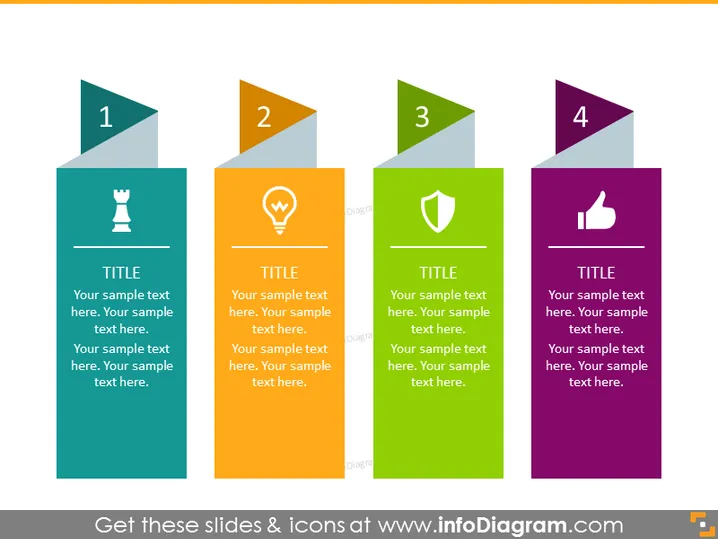
The PowerPoint slide presents a sequence of four steps or options, as indicated by the numbers 1 to 4. Each step has an associated color, icon, and placeholder text, suggesting areas to input specific content related to the step. The icons include a chess piece, a light bulb, a shield, and a thumbs-up, which could metaphorically represent strategy, ideas, protection, and approval or success respectively. This format is suited for conveying a process, showcasing different aspects of a plan, or teaching a concept in stages.
Graphical Look
- The slide has a flat design with a color block style.
- There are four distinct colored rectangular shapes each associated with a number and an icon.
- The numbering is done in stylized triangles with a folded corner look, which overlap the top left corner of each rectangle.
- Icons are centrally placed in each rectangle: a chess piece, light bulb, shield, and thumbs-up symbol.
- Each rectangle contains text placeholders including a word "TITLE" and multiple lines of "Your sample text here."
- The colors of the rectangles are teal, orange, green, and purple, respectively.
- The background of the slide is white which creates contrast with the colorful shapes.
The overall look of the slide is modern and visually appealing, emphasizing clarity and ease of understanding with its bold color choices and simple iconography.
Use Cases
- To present a business strategy broken down into individual components or steps.
- For educational presentations, to outline key points or stages in a learning process.
- In marketing plans, to highlight different phases or elements of a campaign.
- As a visual agenda or itinerary for workshops, meetings, or conferences.
How to Edit
How to edit text & colors

How to expand / shorten diagram

How to Replace Icons in infoDiagram PPT


