
Reviews
Ihre Grafiken verleihen meinen Präsentationen eine nette Note, und ich habe sie kürzlich für eines meiner All-Hands-Meetings verwendet. Ihre Toolbox verleiht meinen Folien Professionalität, anstatt Standard-Clipart zu verwenden.
Ich brauchte einen neuen Blick auf einige meiner Folien. Ich habe versucht, einen Weg zu finden, einen Pinselschlag-Effekt zu erzielen, um zu unterstreichen, hervorzuheben, Farbe hinzuzufügen, und die handgeschriebenen Markierungen waren genau das Richtige. Sehr einfach zu bedienen, leicht in der Größe zu ändern, die Farbe zu ändern. Es war eine erschwingliche, perfekte Lösung und ich empfehle sie gerne weiter.
Die klare, saubere Optik der Grafiken und die Tatsache, dass ich die Farben leicht bearbeiten und an die Vorlage anpassen konnte, war mein Hauptgrund für den Kauf.
Description
All diagram charts are easy to adapt
Slide Content
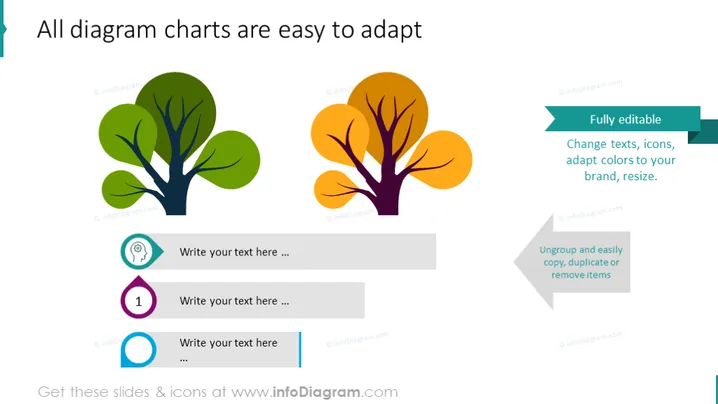
The slide features a title that suggests flexibility in using the diagram charts presented. There are three main visual elements each paired with a text box for customization. The first visual is a stylized tree with green leaves, signifying growth or natural elements. The second is a similar tree but with orange leaves, possibly indicating change or a different phase. The third text block emphasizes the slide's key message about the adaptability of these charts, with sub-points highlighting editability, easy customization, and the ability to ungroup or remove items to tailor the content to specific needs.
Graphical Look
- Two large, stylized tree icons dominate the left half of the slide, one with green foliage and the other with orange, resting on an invisible horizontal line.
- Three text boxes in shades of gray with blue, green, and light blue left borders are aligned vertically on the right, intended for content customization.
- Each text box contains placeholder text "Write your text here ..." and is numbered 1 to 3 with corresponding colorful number icons.
- On the right edge of the slide, two callout boxes with drop shadows highlight the features of the charts: "Fully editable" and "Ungroup and easily copy, duplicate or remove items", emphasizing the adaptability of the diagram.
- All graphical elements follow a flat design aesthetic with a clean and modern look, providing a visual hierarchy from the trees to the callouts and text boxes.
The overall look is sleek and professional, utilizing a balanced layout with vibrant contrasting colors to create a visually engaging and user-friendly infographic slide design.
Use Cases
- To present different aspects of a project or business strategy where each tree represents a distinct category or phase.
- During a marketing or sales pitch to illustrate the customization and adaptability of services or products to potential clients.
- In educational or training presentations to show the easy adaptability of course materials or lesson plans.
- As a creative slide in an environmental report or sustainability presentation, where the trees could symbolize different areas of eco-friendly initiatives or progress.
How to Edit
How to edit text & colors

How to expand / shorten diagram

How to Replace Icons in infoDiagram PPT


