
Reviews
Your graphics add a nice touch to my presentations and I recently used them for one of my all-hands meetings. Your toolbox adds professionalism to my slides. Instead of using standard clipart.
I needed a fresh look at some of my slides. I've tried to find a way to create a paintbrush effect, to underline, accentuate, add some color and the handwritten markers were just the things. Very easy to use, easy to size, change the color. It was an affordable, perfect solution and I'm happy to recommend it.
The crisp, clean look of the graphics, and the fact that it allowed me to easily edit and change the colors to match the template was my main reason for purchasing them.
Description
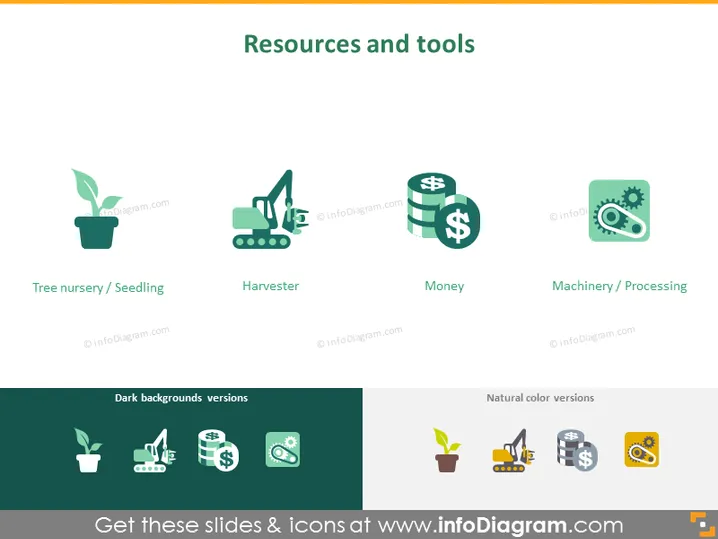
Resources and tools
Slide Content
The slide conveys key components categorized as "Resources and tools," essential in various business or organizational contexts. It illustrates four items: Tree nursery/Seedling, representing the growth or development phase of a project or product; Harvester, symbolizing the collection or reaping phase; Money, indicating the financial aspects or resources; Machinery/Processing, relating to the operational tools or stages necessary to refine or produce the final output. Each concept underscores a critical stage or resource required for success in the targeted field.
Graphical Look
- The slide background is a flat, solid color.
- The slide title is aligned to the left at the top in a large, bold font.
- There are four icons, each accompanied by a caption.
- Icon descriptions:
- The "Tree nursery/Seedling" icon shows a sprout in a pot.
- The "Harvester" icon depicts an agricultural harvester machine.
- The "Money" icon consists of three stacked coins with a dollar sign.
- The "Machinery/Processing" icon features a gear with a factory silhouette.
- Below the icons and captions, there's a split section labeled "Dark backgrounds versions" on the left, and "Natural color versions" on the right, each showing the same icons in alternative color schemes suitable for different slide backgrounds.
The overall look of the slide is modern, clean, and professional. The icons are stylized and associated with identifiable captions that easily convey their meaning in an aesthetically pleasing, consistent design format.
Use Cases
- To introduce different phases or components of a business model or project during a presentation.
- In an educational setting, to explain the various resources and tools necessary for industry-specific production, such as agriculture or manufacturing.
- For strategic planning meetings, where visual aids can assist in discussing the allocation of resources and operational tools.
- During investor presentations to demonstrate where financial input is needed and how it will be utilized across different areas of the business.
How to Edit
How to edit text & colors

How to expand / shorten diagram

How to Replace Icons in infoDiagram PPT


