
Reviews
Ihre Grafiken verleihen meinen Präsentationen eine nette Note, und ich habe sie kürzlich für eines meiner All-Hands-Meetings verwendet. Ihre Toolbox verleiht meinen Folien Professionalität, anstatt Standard-Clipart zu verwenden.
Ich brauchte einen neuen Blick auf einige meiner Folien. Ich habe versucht, einen Weg zu finden, einen Pinselschlag-Effekt zu erzielen, um zu unterstreichen, hervorzuheben, Farbe hinzuzufügen, und die handgeschriebenen Markierungen waren genau das Richtige. Sehr einfach zu bedienen, leicht in der Größe zu ändern, die Farbe zu ändern. Es war eine erschwingliche, perfekte Lösung und ich empfehle sie gerne weiter.
Die klare, saubere Optik der Grafiken und die Tatsache, dass ich die Farben leicht bearbeiten und an die Vorlage anpassen konnte, war mein Hauptgrund für den Kauf.
Description
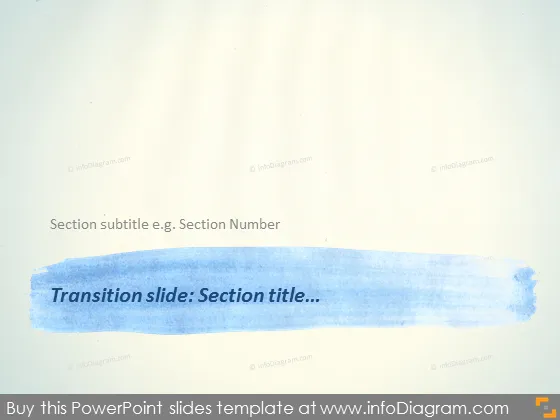
Transition slide: Section title...
Slide Content
The slide is designed to serve as a transition or a separator between sections in a presentation. It includes a place for a "Section subtitle e.g., Section Number," allowing the presenter to number sections or provide additional context. The broad blue brush stroke emphasizes the section title, drawing attention to the transitional nature. This functionality is useful in providing structure to a presentation and giving the audience clear markers of progression.
Graphical Look
- The background is textured, resembling paper or a canvas, which adds an artistic feel to the slide.
- A large, horizontal blue brush stroke dominates the center of the slide, creating a visually striking element that contrasts with the background.
- Inside this brush stroke, there is white text reading "Transition slide: Section title..." which stands out against the blue.
- Above the blue brush stroke, there is a smaller plain black text indicating a place for "Section subtitle e.g., Section Number."
- The blue brush stroke has a textured edge, enhancing the hand-painted appearance and adding a depth of visual interest.
- No other graphical elements or icons are present on the slide.
The slide's overall look is clean and modern, with the artistic background and brush stroke lending a creative and informal aesthetic. The simplicity of the design keeps it focused and professional.
Use Cases
- To clearly demarcate different sections within a presentation, keeping the audience oriented to the flow of content.
- In educational or training sessions where sections cover different topics or modules, facilitating easy transitions.
- During corporate or business strategy presentations to separate distinct strategic areas or initiatives.
- For organizing workshop or seminar content into digestible parts, especially when dealing with a diverse range of subjects.
How to Edit
How to edit text & colors

How to expand / shorten diagram

How to Replace Icons in infoDiagram PPT


