
Reviews
Ihre Grafiken verleihen meinen Präsentationen eine nette Note, und ich habe sie kürzlich für eines meiner All-Hands-Meetings verwendet. Ihre Toolbox verleiht meinen Folien Professionalität, anstatt Standard-Clipart zu verwenden.
Ich brauchte einen neuen Blick auf einige meiner Folien. Ich habe versucht, einen Weg zu finden, einen Pinselschlag-Effekt zu erzielen, um zu unterstreichen, hervorzuheben, Farbe hinzuzufügen, und die handgeschriebenen Markierungen waren genau das Richtige. Sehr einfach zu bedienen, leicht in der Größe zu ändern, die Farbe zu ändern. Es war eine erschwingliche, perfekte Lösung und ich empfehle sie gerne weiter.
Die klare, saubere Optik der Grafiken und die Tatsache, dass ich die Farben leicht bearbeiten und an die Vorlage anpassen konnte, war mein Hauptgrund für den Kauf.
Description
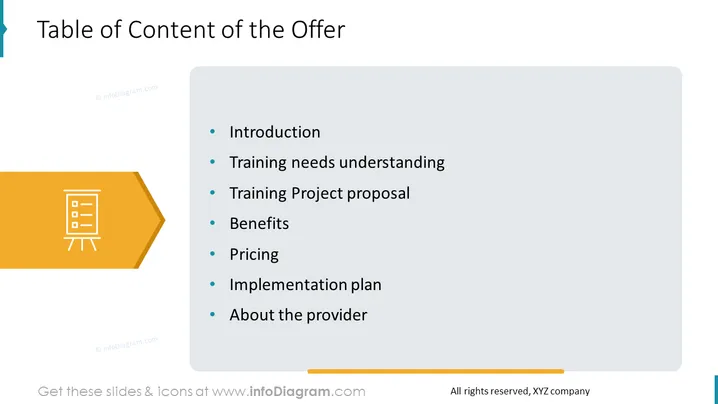
Table of Content of the Offer
Slide Content
The slide is titled "Table of Content of the Offer" and lists seven items which serve as an agenda or overview of a business proposal or presentation. "Introduction" likely gives a brief overview of the offer or business proposal. "Training needs understanding" is about assessing the training requirements. "Training Project proposal" details the specifics of a training initiative. "Benefits" will outline the advantages of the offer. "Pricing" provides information on costs and payment structures. "Implementation plan" covers the strategy for rolling out the training. "About the provider" offers background information on the company or individual providing the service.
Graphical Look
- The slide has a clean, minimalist design with plenty of white space.
- The title "Table of Content of the Offer" is placed prominently at the top of the slide.
- A large, orange arrow-shaped element is located on the left side of the slide, containing a white icon of a presentation easel with documents.
- To the right, there is a gray text box that contains the list of content items, each preceded by a blue bullet point.
- The elements are arranged in a balanced manner, with the graphic on the left drawing attention to the text on the right.
The slide has a business-like and professional appearance, with a contrasting color scheme that directs the viewer's attention to the text. The design is visually appealing, with graphical elements thoughtfully placed to create a structured flow.
Use Cases
- This slide would be used at the beginning of a business presentation to outline the sections of the proposal to clients or stakeholders.
- It could serve as an agenda for a meeting or workshop where a training offer is being discussed or presented.
- The slide is suitable for pitch decks to give potential investors or partners a snapshot of what the offer includes.
- It can be included in the documentation for a training program or business offer to provide a structured overview of the content.
How to Edit
How to edit text & colors

How to expand / shorten diagram

How to Replace Icons in infoDiagram PPT


