
Reviews
Ihre Grafiken verleihen meinen Präsentationen eine nette Note, und ich habe sie kürzlich für eines meiner All-Hands-Meetings verwendet. Ihre Toolbox verleiht meinen Folien Professionalität, anstatt Standard-Clipart zu verwenden.
Ich brauchte einen neuen Blick auf einige meiner Folien. Ich habe versucht, einen Weg zu finden, einen Pinselschlag-Effekt zu erzielen, um zu unterstreichen, hervorzuheben, Farbe hinzuzufügen, und die handgeschriebenen Markierungen waren genau das Richtige. Sehr einfach zu bedienen, leicht in der Größe zu ändern, die Farbe zu ändern. Es war eine erschwingliche, perfekte Lösung und ich empfehle sie gerne weiter.
Die klare, saubere Optik der Grafiken und die Tatsache, dass ich die Farben leicht bearbeiten und an die Vorlage anpassen konnte, war mein Hauptgrund für den Kauf.
Description
Benefits of the Training
Slide Content
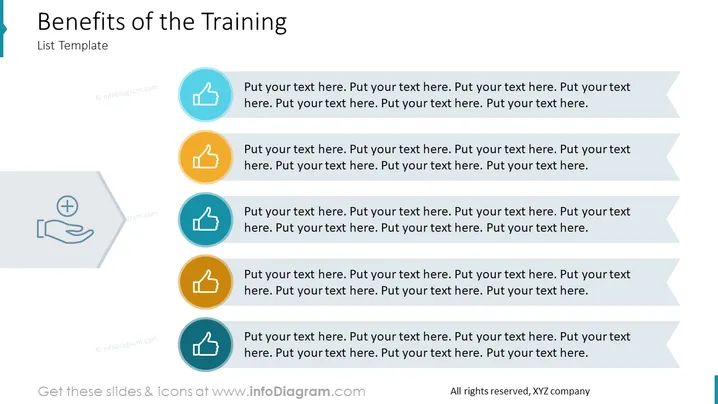
The PowerPoint slide titled "Benefits of the Training" is likely designed to offer a structured list of advantages associated with a specific training program. Each benefit is represented by an icon and has space for text expansion, presumably for a detailed explanation. These benefits are not specifically outlined in the image, but the structure suggests placeholders for information such as improved skills, increased productivity, and enhanced employee satisfaction, among others.
Graphical Look
- The slide features a clear, blue title banner at the top with the slide's title set in large white font.
- Below the title, there is a subtitle in a smaller font that reads "List Template."
- Six circular icons are aligned horizontally across the middle of the slide.
- Each icon is enclosed in a different colored circle: blue, turquoise, green, yellow, orange, and teal.
- The icons all depict a thumbs-up symbol, suggesting positive outcomes or approval.
- To the right of each icon is a text box with placeholder text for detailing the respective benefit.
- The color scheme is consistent with corporate design, using a palette of blue, turquoise, green, yellow, and orange tones.
The overall look is professional and modern, with a clean and organized layout. The use of color and icons helps in visually categorizing the information and adds to the slide's appeal.
Use Cases
- Presenting key advantages of corporate training programs to stakeholders or team members.
- Highlighting the expected outcomes of a planned training initiative during a project kickoff meeting.
- Using as an agenda to guide discussion points in a workshop or seminar about staff development.
- Adapting to review results and feedback following the completion of a training course during a debrief session.
How to Edit
How to edit text & colors

How to expand / shorten diagram

How to Replace Icons in infoDiagram PPT


