
Reviews
Sus gráficos añaden un toque agradable a mis presentaciones y recientemente los usé para una de mis reuniones generales. Su conjunto de herramientas añade profesionalismo a mis diapositivas. En lugar de usar imágenes prediseñadas estándar.
Necesitaba un aspecto fresco para algunas de mis diapositivas. Había intentado encontrar una forma de crear un efecto de pincel, de subrayar, acentuar, añadir algo de color y los marcadores escritos a mano fueron justo lo que necesitaba. Muy fácil de usar, fácil de ajustar el tamaño, cambiar el color. Fue una solución asequible y perfecta, y estoy feliz de recomendarla.
El aspecto nítido y limpio de los gráficos, y el hecho de que me permitiera editar y cambiar fácilmente los colores para que coincidieran con la plantilla fue mi principal razón para comprarlos.
Description
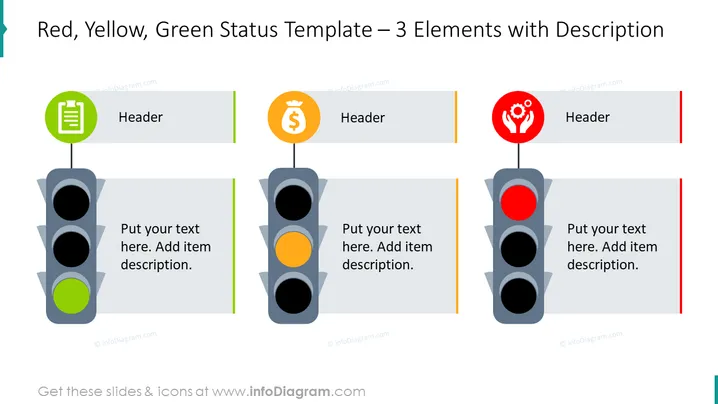
Red, Yellow, Green Status Template – 3 Elements with Description
Slide Content:
The slide features a project status reporting template utilizing a traffic light metaphor to represent different states of project elements. The green light symbolizes 'Go' or satisfactory conditions, the yellow light indicates 'Caution' or conditions that require attention, and the red light represents 'Stop' or critical issues that need immediate action. Each light is paired with a header and a placeholder for a description to detail the specific status.
Graphical Look:
- Three vertical traffic light graphics, each with a green, yellow, or red light illuminated.
- Above each traffic light, an icon within a circle linked to a header box: a green clipboard icon, an orange money symbol, and a red hand with cogs icon.
- Next to each traffic light, a large grey placeholder box for text, with a thin colored line on the left side - corresponding to the color of the illuminated traffic light (green, yellow, red).
- Each placeholder box has a sample text prompt for adding descriptions.
- The slide background is white, and there are vertical color-coded bars on the right side of each text box.
The visual composition of the slide is straightforward and thematic, with a clean design that emphasizes categorization according to the traffic light colors. The icons add a layer of meaning, suggesting areas like documentation, finance, and team or community.
Use Cases:
This slide could be effectively used in business presentations for project management updates, risk assessments, and status reports. It is suitable for visually communicating the state of different aspects of a project, like financial health, team performance, or task completion.
How to Edit
How to edit text & colors

How to expand / shorten diagram

How to Replace Icons in infoDiagram PPT


