
Reviews
Your graphics add a nice touch to my presentations and I recently used them for one of my all-hands meetings. Your toolbox adds professionalism to my slides. Instead of using standard clipart.
I needed a fresh look at some of my slides. I've tried to find a way to create a paintbrush effect, to underline, accentuate, add some color and the handwritten markers were just the things. Very easy to use, easy to size, change the color. It was an affordable, perfect solution and I'm happy to recommend it.
The crisp, clean look of the graphics, and the fact that it allowed me to easily edit and change the colors to match the template was my main reason for purchasing them.
Description
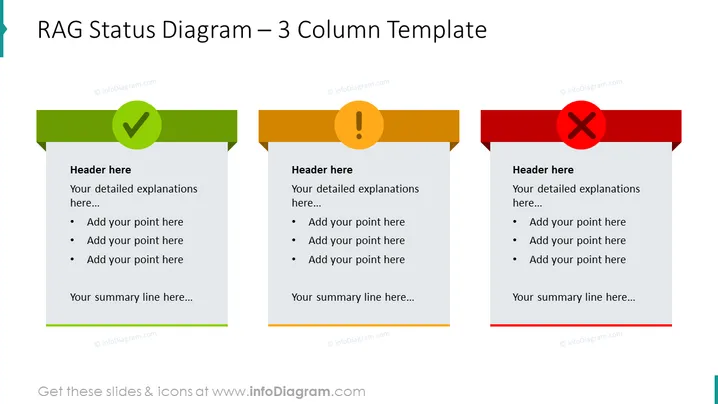
##Slide contents: The Rag Status Presentation is essential for business project management. This PPT template may indicate a project's status and performance. The colors signify a project's progress. Red. which is symbolic of stopping at traffic lights, shows that the project is not moving forward. Amber signifies that the project is in the progress phase and some actions must be taken to avoid crossing into the red status. Green is the most desired and it showcases that a project is complete and went as planned. The RAG Status template is mostly used in project management. Project managers use it to indicate the status of their projects such as ongoing and completed projects. This RAG slide is a three-column PowerPoint template where you can right the status of your three business projects. In each column, there is a header where you can write your project's title with a brief description under it. This diagram also contains bullet points where you can highlight the status report's key elements such as KPIs, risks, assumptions, and issues. At the bottom of each column, you can write a summary of your project status. This RAG status report includes an analysis of your overall project in a creative way. This RAG diagram is editable, and you can change the text, font, and colors according to your preference. You can download this RAG status project slide on PowerPoint and Google Slides while maintaining its high-quality design. ##Slide infographic description: White Background, Text Box, Bullet Point, Green Color, Amber Color, Red Color, OK Check Icon, Exclamation Mark Icon, Blocked Sign Icon
How to Edit
How to edit text & colors

How to expand / shorten diagram

How to Replace Icons in infoDiagram PPT


