
Reviews
Sus gráficos añaden un toque agradable a mis presentaciones y recientemente los usé para una de mis reuniones generales. Su conjunto de herramientas añade profesionalismo a mis diapositivas. En lugar de usar imágenes prediseñadas estándar.
Necesitaba un aspecto fresco para algunas de mis diapositivas. Había intentado encontrar una forma de crear un efecto de pincel, de subrayar, acentuar, añadir algo de color y los marcadores escritos a mano fueron justo lo que necesitaba. Muy fácil de usar, fácil de ajustar el tamaño, cambiar el color. Fue una solución asequible y perfecta, y estoy feliz de recomendarla.
El aspecto nítido y limpio de los gráficos, y el hecho de que me permitiera editar y cambiar fácilmente los colores para que coincidieran con la plantilla fue mi principal razón para comprarlos.
Description
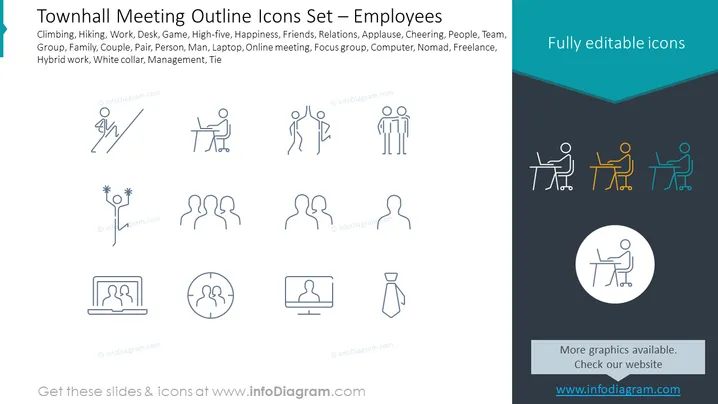
Townhall Meeting Outline Icons Set – Employees
Slide Content: The slide presents a set of outline icons related to employees and working environments, indicating activities like Climbing and Hiking, professional situations such as Work, Desk, and Game, interpersonal interactions including High-five, Happiness, and Friends, modes of work like Laptop, Online meeting, and Hybrid work, and organizational roles signified by Management and Tie. Each icon corresponds to a term listed above it, showing a stylized figure engaged in various activities or representing different concepts.
Graphical Look:
- The slide's background is split diagonally, with the upper portion in light grey and the bottom in dark navy blue.
- Each icon pairs with a term that describes it; the icons are uniformly styled, thin-line graphics depicting people in various actions and roles.
- Four colorful icons on the dark navy section stand out against the monochrome icons; they are presented in blue, orange, and green.
- An additional, larger icon is centered at the bottom in a white circle on the dark navy background.
- Heading is in a bold, teal-colored font that contrasts with the rest of the slide's monochrome palette.
- Icons are simple, without unnecessary detail, effectively communicating the concepts through minimalist design.
The overall look of the slide is clean and professional, with a color palette that uses teal, grey, and navy blue to create a corporate-friendly look. The minimalist icons are arranged neatly, enhancing readability and allowing for immediate recognition of the concepts they represent.
Use Cases:
- To introduce topics in a townhall meeting agenda, using the icons as visual cues for each discussion point.
- In employee training modules, where icons serve to break down various work environment themes.
- As part of a company's internal communication materials to visually represent different team roles and functions.
- To enhance presentation slides in human resources training about work-life balance, remote work setups, and office culture.
How to Edit
How to edit text & colors

How to expand / shorten diagram

How to Replace Icons in infoDiagram PPT


