
Reviews
Your graphics add a nice touch to my presentations and I recently used them for one of my all-hands meetings. Your toolbox adds professionalism to my slides. Instead of using standard clipart.
I needed a fresh look at some of my slides. I've tried to find a way to create a paintbrush effect, to underline, accentuate, add some color and the handwritten markers were just the things. Very easy to use, easy to size, change the color. It was an affordable, perfect solution and I'm happy to recommend it.
The crisp, clean look of the graphics, and the fact that it allowed me to easily edit and change the colors to match the template was my main reason for purchasing them.
Description
Slide Title
The slide does not contain an explicit title.
Slide Content
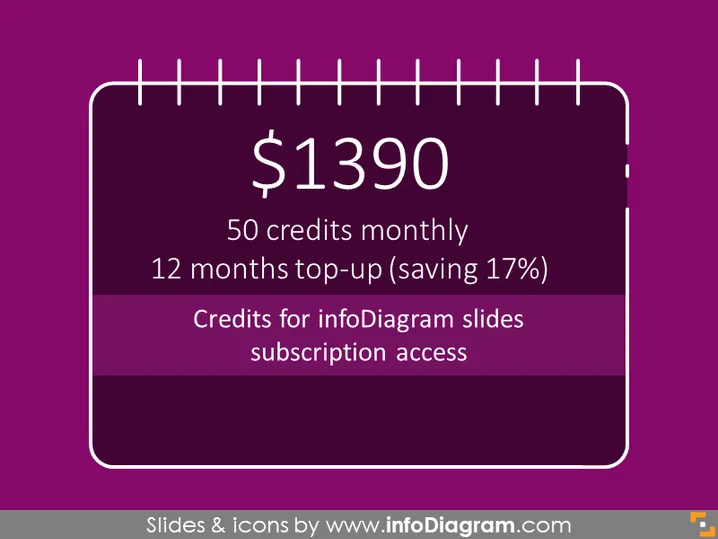
The slide presents a pricing plan of $1390 for a service, detailing that the plan includes 50 credits monthly and offers a 12 months top-up option with a 17% savings. It specifies that the credits are for infoDiagram slides subscription access, suggesting that the slide is likely related to a subscription model for a service that provides presentation resources, such as templates and icons, to its customers. Each bullet point contains specific aspects of the subscription:
- $1390: This is the price for the plan being presented.
- 50 credits monthly: Subscribers receive a quota of credits each month to exchange for the service's resources.
- 12 months top-up (saving 17%): A long-term subscription option that provides a discount for advance payment.
- Credits for infoDiagram slides subscription access: These credits are likely exchangeable for downloadable content such as slide templates or icons from infoDiagram.
Graphical Look
- The slide background is a dark purple color.
- A large, white, stylized price tag graphic dominates the center of the slide. This graphic includes a thick outline and what appears to be a representation of a string loop at the top, suggesting attachment or pricing tag imagery.
- Inside the tag graphic is the main text content, which is white and clearly contrasts with the purple background for readability.
- The most prominent feature inside this tag is the price "$1390," which is the largest text and bolded, drawing attention to the cost of the plan.
- Below the price are three lines of smaller white text describing the subscription terms, formatted in a list-like fashion.
- One of the corners of the slide features a small orange square containing a design element or logo.
The slide has a simple and visually appealing design with a bold color scheme and focused content. The use of the price tag graphic effectively highlights the pricing information, making it the central point of the slide.
Use Cases
- Presenting subscription package details to potential clients during sales meetings or webinars.
- Outlining pricing structures for the company's services in a pitch deck to investors.
- Displaying internal company offerings to employees, explaining benefit programs or internal resources.
- Including in marketing materials, such as online presentations, to attract new customers.
How to Edit
How to edit text & colors

How to expand / shorten diagram

How to Replace Icons in infoDiagram PPT


