
Reviews
Ihre Grafiken verleihen meinen Präsentationen eine nette Note, und ich habe sie kürzlich für eines meiner All-Hands-Meetings verwendet. Ihre Toolbox verleiht meinen Folien Professionalität, anstatt Standard-Clipart zu verwenden.
Ich brauchte einen neuen Blick auf einige meiner Folien. Ich habe versucht, einen Weg zu finden, einen Pinselschlag-Effekt zu erzielen, um zu unterstreichen, hervorzuheben, Farbe hinzuzufügen, und die handgeschriebenen Markierungen waren genau das Richtige. Sehr einfach zu bedienen, leicht in der Größe zu ändern, die Farbe zu ändern. Es war eine erschwingliche, perfekte Lösung und ich empfehle sie gerne weiter.
Die klare, saubere Optik der Grafiken und die Tatsache, dass ich die Farben leicht bearbeiten und an die Vorlage anpassen konnte, war mein Hauptgrund für den Kauf.
Description
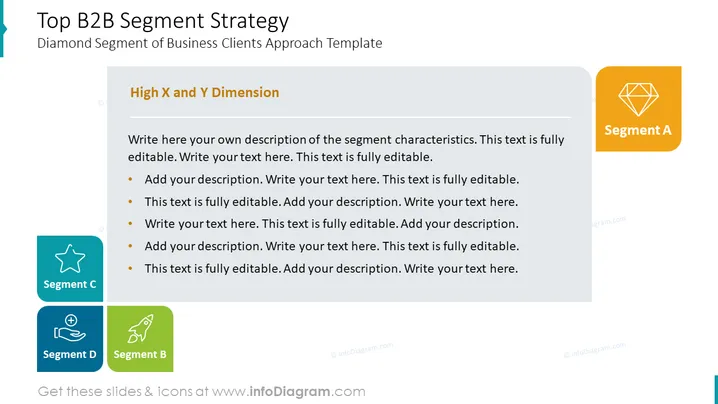
Top B2B Segment Strategy
Diamond Segment of Business Clients Approach Template
Slide Content
The slide titled "Top B2B Segment Strategy" discusses a business clients approach using a diamond segmentation model. "High X and Y Dimension" is a header above a text box with placeholder text for detailing segment characteristics. Instructions on how to customize the text are provided. There are four segments labeled A, B, C, and D, each with a unique icon and color, suggesting different areas or classifications within the B2B segment strategy without specific descriptions.
Graphical Look
- The slide background is white with a subtle grey border at the bottom.
- At the top left, there's a large, light blue title with the words "Top B2B Segment Strategy" in bold.
- Below the title, in a smaller font, is the subtitle "Diamond Segment of Business Clients Approach Template."
- A large grey text box occupies the left side under the subtitles with a darker grey header titled "High X and Y Dimension."
- Inside the text box, there's a bulleted list with placeholder text for descriptions.
- To the right, four colored squares with rounded edges are aligned vertically, each containing a white icon and labeled with "Segment A," "Segment B," "Segment C," and "Segment D," respectively, from top to bottom.
- The colors of the squares are orange, green, turquoise, and dark blue, and the icons include a diamond, a rocket, a star, and two human figures with what appears to be a gear, representing different segments.
- The layout is clean, with a balanced use of color and white space.
The overall look of the slide is professional and modern. Its structured layout with vibrant colors and clean icons helps convey information clearly and attractively.
Use Cases
- To present a business segmentation strategy in a marketing or sales meeting, specifically tailored for B2B audiences.
- For a workshop or a training session on how to categorize and approach various B2B client segments, allowing for interactive contributions and segment characteristic discussions.
- In investor or stakeholder presentations to showcase the company's strategic approach to targeting and managing different client segments.
- Within internal strategic planning sessions where team members can map out and define the key characteristics and strategies for each business client segment.
How to Edit
How to edit text & colors

How to expand / shorten diagram

How to Replace Icons in infoDiagram PPT


