
Reviews
Your slides are my "secret sauce" when it comes to presenting my ideas to clients. I save a lot of time.
J'avais un délai de livraison à respecter et je n'avais pas le temps de créer une variété de modèles de diapositives. Infodiagram m'a proposé des options faciles à télécharger et à personnaliser en fonction de mes besoins !
Vos diapositives suscitent souvent de précieux commentaires et idées de la part de mon équipe, ce qui améliore les diapositives finales.
Description
Teardrop Style Timeline – 4 Items, with Icons
Slide Content
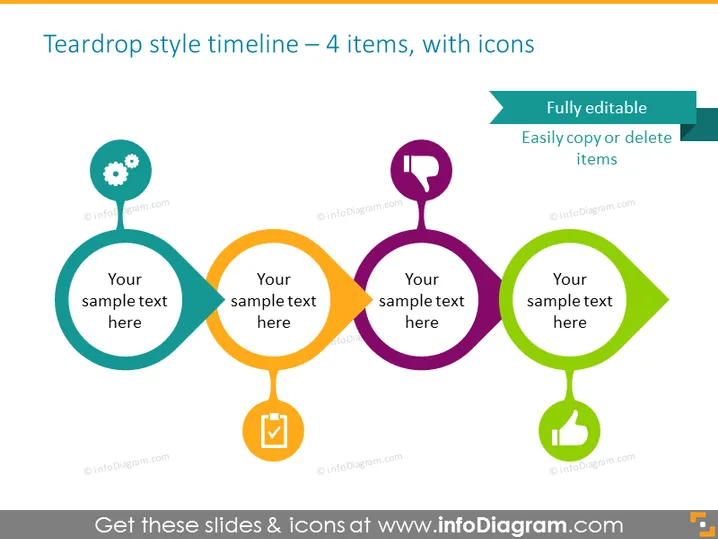
The slide depicts a timeline concept with four teardrop-shaped elements, each containing a different icon and placeholder text. The teardrop shapes are connected to each other, indicating a sequence or progression. Each icon represents a different stage or aspect of a process, suggesting a customizable framework for presenting a series of steps, achievements, or events.
Graphical Look
- Four teardrop-shaped graphical elements, colored in light blue, orange, purple, and green.
- Each teardrop contains an icon: a gear, a magnifying glass, a checkmark inside a shield, and a leaf, respectively.
- Placeholder text "Your sample text here" is positioned in the center of each teardrop.
- Arrows connect the teardrops, suggesting a directional flow from one to another.
- An additional rectangular banner on the top right declares the slide to be "Fully editable" with subtext "Easily copy or delete items".
The slide is colorful with a clean, modern design. The teardrop shapes provide a unique presentation of information that stands out due to the striking color contrast and visual flow created by the connecting arrows.
Use Cases
- Illustrating steps in a business process or workflow in a presentation.
- Outlining the phases of a project during a project management meeting.
- Highlighting achievements or milestones in a company's history during an annual report.
- Providing a visual guide for a product's lifecycle or development stages in a marketing pitch.
How to Edit
How to edit text & colors

How to expand / shorten diagram

How to Replace Icons in infoDiagram PPT


