
Reviews
Vos graphiques ajoutent une belle touche à mes présentations et je les ai récemment utilisés pour l'une de mes réunions générales. Votre boîte à outils ajoute du professionnalisme à mes diapositives. Au lieu d'utiliser des cliparts standards.
J'avais besoin d'un nouveau regard sur certaines de mes diapositives. J'ai essayé de trouver un moyen de créer un effet de pinceau, de souligner, d'accentuer, d'ajouter de la couleur et les marqueurs manuscrits étaient exactement ce qu'il fallait. Très facile à utiliser, facile à ajuster la taille, à changer la couleur. C'était une solution abordable et parfaite et je suis heureux de la recommander.
L'aspect net et épuré des graphiques, et le fait qu'il m'ait permis d'éditer et de changer facilement les couleurs pour les adapter au modèle, ont été les principales raisons de mon achat.
Description
Next Steps Timeline
Slide Content
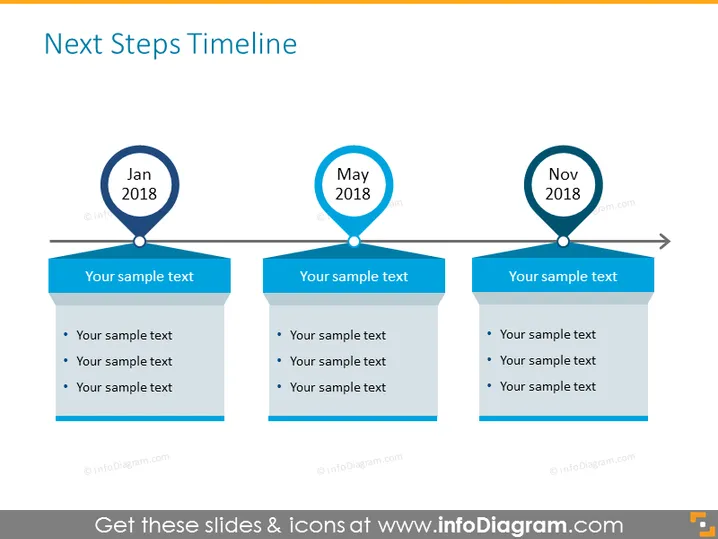
The slide titled “Next Steps Timeline” outlines a three-point timeline with the months "Jan 2018," "May 2018," and "Nov 2018" as milestones. Each milestone is associated with a banner containing placeholder text labeled "Your sample text," which suggests the slide is designed to be customized with specific actions or events that occur at each time point. These bullets are likely intended to describe specific tasks, goals, or outcomes pertinent to each respective date.
Graphical Look
- Three circular milestone markers labeled "Jan 2018," "May 2018," and "Nov 2018" interconnected by a horizontal timeline.
- Each milestone marker is connected to a corresponding rectangular banner with a folded ribbon design at the bottom.
- The banners are colored in different shades of blue and contain bullet points with the placeholder "Your sample text."
- An arrow at the end of the timeline indicates continuity or progression beyond "Nov 2018."
The slide has a clean, professional look with a minimalist design. The use of blue tones provides a sense of calm and order, while the timeline offers a clear visual representation of progression or phases.
Use Cases
- Presenting project milestones or deadlines in a business meeting.
- Outlining the phases of a marketing campaign during a strategy presentation.
- Demonstrating the expected progress of product development over the year in an investor pitch.
- Summarizing key dates and actions for organizational change management in a stakeholder update meeting.
How to Edit
How to edit text & colors

How to expand / shorten diagram

How to Replace Icons in infoDiagram PPT


