
Reviews
Your graphics add a nice touch to my presentations and I recently used them for one of my all-hands meetings. Your toolbox adds professionalism to my slides. Instead of using standard clipart.
I needed a fresh look at some of my slides. I've tried to find a way to create a paintbrush effect, to underline, accentuate, add some color and the handwritten markers were just the things. Very easy to use, easy to size, change the color. It was an affordable, perfect solution and I'm happy to recommend it.
The crisp, clean look of the graphics, and the fact that it allowed me to easily edit and change the colors to match the template was my main reason for purchasing them.
Description
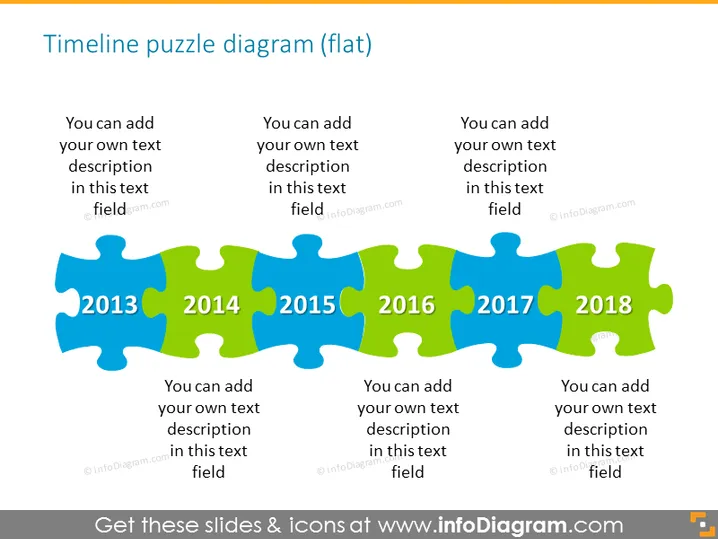
Timeline puzzle diagram (flat)
Slide Content
The slide presents a timeline from 2013 to 2018 using a puzzle piece motif, each representing a year. The years are displayed on individual colorful puzzle pieces that interlock, suggesting a continuity or dependency between the events or milestones denoted by each year. The space for adding descriptions for each year implies a customizable template designed for detailed elaboration on the specific events or activities that occurred or are planned for each respective year.
Graphical Look
- The slide features a horizontal sequence of six interlocking puzzle pieces.
- Each puzzle piece is a different color, creating a visually appealing gradient from left to right.
- The years 2013 to 2018 are prominently displayed in the center of each puzzle piece with large, bold font.
- Three blocks of text saying "You can add your own text description in this text field" are placed above and below the puzzle pieces, signaling where custom content can be added.
- The background is a solid light color, which ensures that the colorful puzzle pieces and text stand out.
The slide has a clean and colorful design with easily readable text and a clear metaphor for a timeline represented by the connected puzzle pieces.
Use Cases
- Outlining the key milestones or achievements of a company over a multi-year period.
- Showing the progression of a product's development or project phases.
- Planning and demonstrating the sequential steps in a strategic plan.
- Reviewing past performance data or targets year by year in a business report.
How to Edit
How to edit text & colors

How to expand / shorten diagram

How to Replace Icons in infoDiagram PPT


