
Reviews
Ihre Grafiken verleihen meinen Präsentationen eine nette Note, und ich habe sie kürzlich für eines meiner All-Hands-Meetings verwendet. Ihre Toolbox verleiht meinen Folien Professionalität, anstatt Standard-Clipart zu verwenden.
Ich brauchte einen neuen Blick auf einige meiner Folien. Ich habe versucht, einen Weg zu finden, einen Pinselschlag-Effekt zu erzielen, um zu unterstreichen, hervorzuheben, Farbe hinzuzufügen, und die handgeschriebenen Markierungen waren genau das Richtige. Sehr einfach zu bedienen, leicht in der Größe zu ändern, die Farbe zu ändern. Es war eine erschwingliche, perfekte Lösung und ich empfehle sie gerne weiter.
Die klare, saubere Optik der Grafiken und die Tatsache, dass ich die Farben leicht bearbeiten und an die Vorlage anpassen konnte, war mein Hauptgrund für den Kauf.
Description
Your sample TITLE
Slide Content
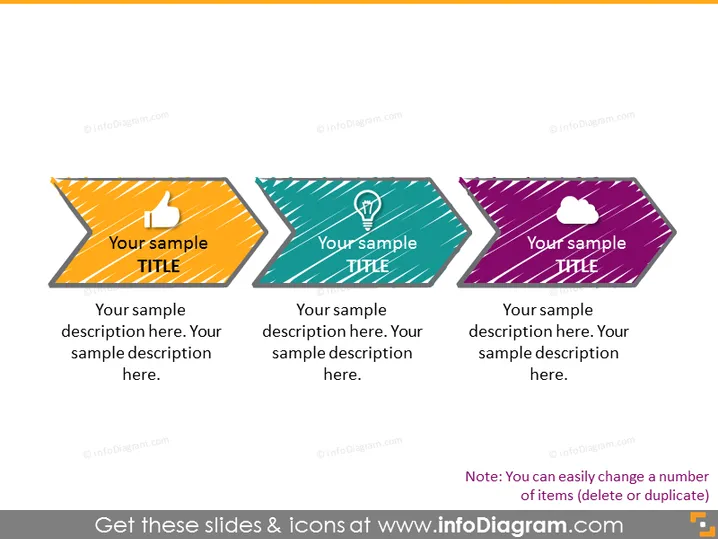
The PowerPoint slide presents a trio of banners with icons and space for custom titles and descriptions. Each banner includes a distinct icon—thumb up, lightbulb, and cloud, representing positive feedback, ideas or innovation, and cloud computing or networking. The content areas prompt the viewer to insert a title and a description, allowing for a tailored presentation of concepts or steps.
Graphical Look
- The slide background is white, providing a neutral canvas for the information.
- There are three arrow-shaped banners pointing right, implying progression or steps.
- Each banner has its own bold color: orange, teal, and purple.
- Icons are placed at the head of each banner: a thumb-up icon on orange, a lightbulb icon on teal, and a cloud icon on purple.
- Title and description texts are placed on each banner. The titles are in a large, bold font, while the descriptions are in a smaller, regular font.
- There's a drop shadow effect applied to the banners, giving them a sense of depth.
The overall look is modern and dynamic, with contrasting colors and simple icons to convey different themes or topics. The design is clean and allows for easy customization of content.
Use Cases
- To highlight three key points or steps in a business strategy or workflow.
- To showcase a product's three main benefits or features during a sales presentation.
- To communicate company values or pillars in an internal corporate meeting.
- As an agenda slide, introducing the main topics to be discussed in a seminar or workshop.
How to Edit
How to edit text & colors

How to expand / shorten diagram

How to Replace Icons in infoDiagram PPT


