
Reviews
Sus gráficos añaden un toque agradable a mis presentaciones y recientemente los usé para una de mis reuniones generales. Su conjunto de herramientas añade profesionalismo a mis diapositivas. En lugar de usar imágenes prediseñadas estándar.
Necesitaba un aspecto fresco para algunas de mis diapositivas. Había intentado encontrar una forma de crear un efecto de pincel, de subrayar, acentuar, añadir algo de color y los marcadores escritos a mano fueron justo lo que necesitaba. Muy fácil de usar, fácil de ajustar el tamaño, cambiar el color. Fue una solución asequible y perfecta, y estoy feliz de recomendarla.
El aspecto nítido y limpio de los gráficos, y el hecho de que me permitiera editar y cambiar fácilmente los colores para que coincidieran con la plantilla fue mi principal razón para comprarlos.
Description
Timeline Flow Chart with Key Items Descriptions
Slide Content
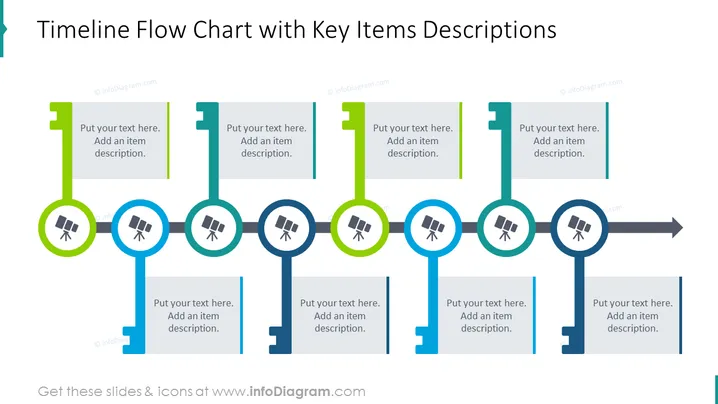
The PowerPoint slide titled "Timeline Flow Chart with Key Items Descriptions" displays a horizontal process flow with distinct milestones. Each milestone is represented by a circular key icon, with a vertical line extending downwards, culminating in a space for text that explains the specific item. The deduced purpose of the slide is to outline a sequence of events or steps in a process, with detailed descriptions of each key event or phase.
Graphical Look
- The slide features a dark teal background.
- There are five main graphical elements aligned horizontally, suggesting a progression from left to right.
- Each element consists of a stylized key figure at the top of a vertical line, each in a distinct color: green or blue.
- The keys contain white icons that resemble a magnifier with a plus sign, indicating a focus on detail or discovery.
- Beneath each key, a light colored teal rectangle provides space for text input.
- Vertical bars in two different shades of green are positioned on either side of the central key figures, potentially serving as placeholders for addition of further text or graphical representation of different stages.
The slide has a clean, modern look with a clear, color-coded visual flow that assists in distinguishing various stages or points. The icons within the keys add a visual cue to draw attention to significant points in the timeline.
Use Cases
- Presenting project timelines with detailed explanations of each milestone.
- Illustrating a company's historical growth and key achievements.
- Outlining the steps of a product launch including significant developmental milestones.
- Explaining the phases of a strategic business plan with focus on critical decision points.
How to Edit
How to edit text & colors

How to expand / shorten diagram

How to Replace Icons in infoDiagram PPT


