
Reviews
Sus gráficos añaden un toque agradable a mis presentaciones y recientemente los usé para una de mis reuniones generales. Su conjunto de herramientas añade profesionalismo a mis diapositivas. En lugar de usar imágenes prediseñadas estándar.
Necesitaba un aspecto fresco para algunas de mis diapositivas. Había intentado encontrar una forma de crear un efecto de pincel, de subrayar, acentuar, añadir algo de color y los marcadores escritos a mano fueron justo lo que necesitaba. Muy fácil de usar, fácil de ajustar el tamaño, cambiar el color. Fue una solución asequible y perfecta, y estoy feliz de recomendarla.
El aspecto nítido y limpio de los gráficos, y el hecho de que me permitiera editar y cambiar fácilmente los colores para que coincidieran con la plantilla fue mi principal razón para comprarlos.
Description
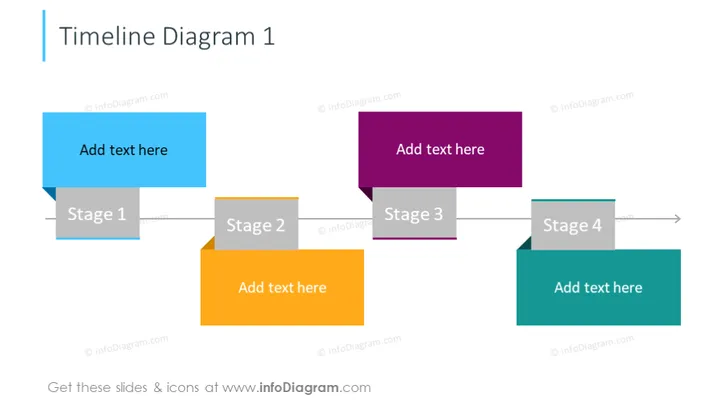
Timeline Diagram 1
Slide Content
The slide presents a four-stage timeline, with each stage represented by a differently colored rectangular block containing a placeholder for text ("Add text here") and a stage label. "Stage 1" is a blue block, indicating the start of the timeline. "Stage 2" is a darker greyish block, suggesting a subsequent phase. "Stage 3" is shown in a purple block, marking a further progression. Lastly, "Stage 4" is in teal, representing the concluding phase. The stages are connected by arrows, signifying the flow from one stage to the next.
Graphical Look
- Four colored rectangular blocks, each representing a different stage in the timeline.
- Each block contains a lighter rectangular area with the text "Add text here" indicating a placeholder for content.
- Below each block, there is a smaller rectangular label displaying the stage number ("Stage 1," "Stage 2," etc.).
- The blocks are connected by grey arrows that visually indicate the sequence and progression from one stage to the next.
- Each stage block has a distinct bold color, which stands out against the white background, making the sequence clear and visually appealing.
The overall look of the slide is clean and modern, with a straightforward depiction of a sequential process. The use of bold colors and distinct shapes makes the information easily digestible and visually engaging.
Use Cases
- Presenting the phases of a project plan or roadmap in business meetings.
- Outlining the steps of a process or workflow in training materials and manuals.
- Illustrating the progression of an event or series of milestones over time in a report.
- Demonstrating product development stages from conception to launch during a pitch to stakeholders.
How to Edit
How to edit text & colors

How to expand / shorten diagram

How to Replace Icons in infoDiagram PPT


